 ShizuStore
Amply
0.5.0-beta0 · GitHub
More about this app
Easy control of charging limits. Temporarily allows one full charge, then automatically restores your protective charge limit

Amply




Amply is experimental and pre-launch. Direct control is verified on a limited set of devices — device reports and feedback are welcome!
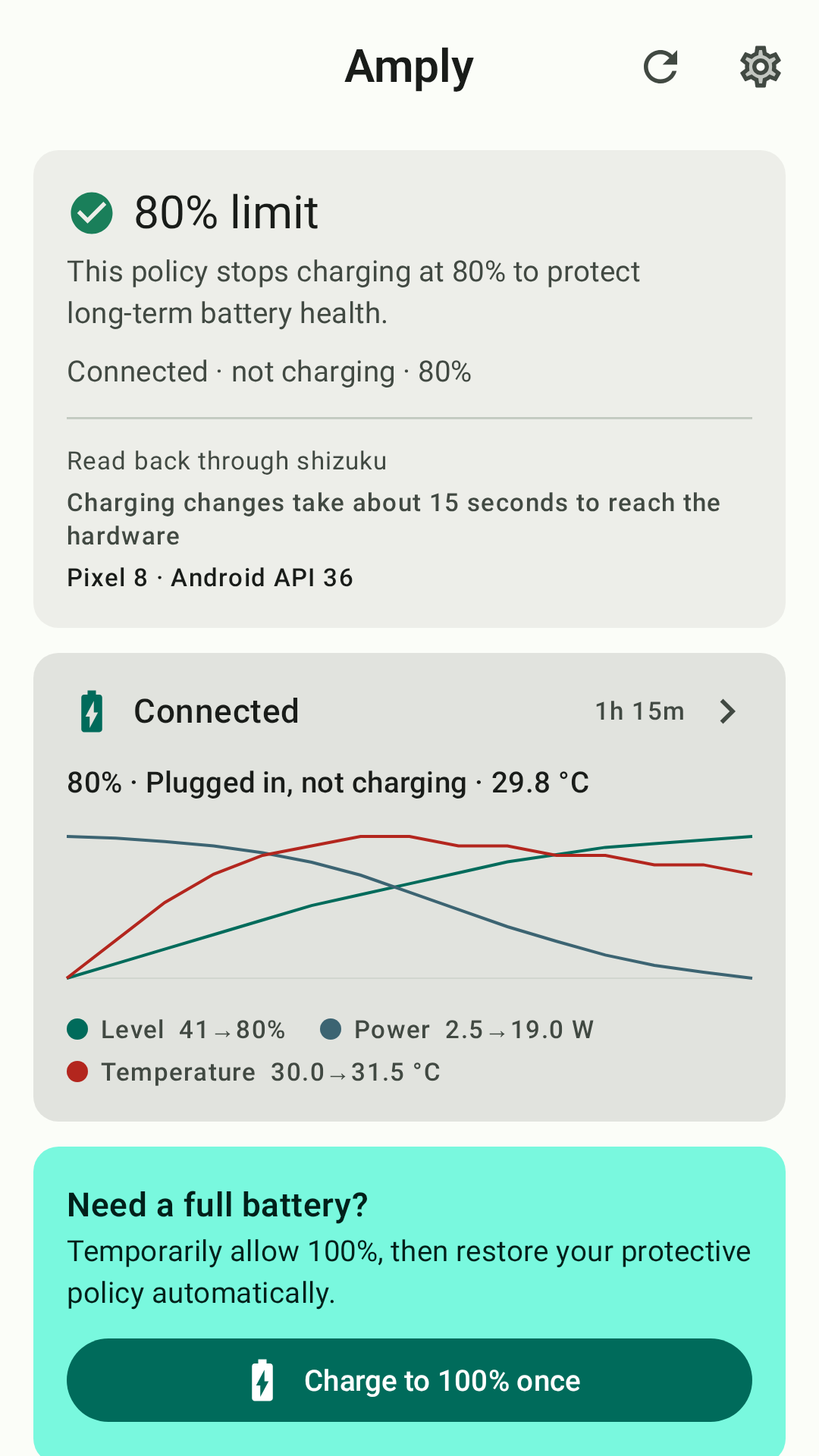
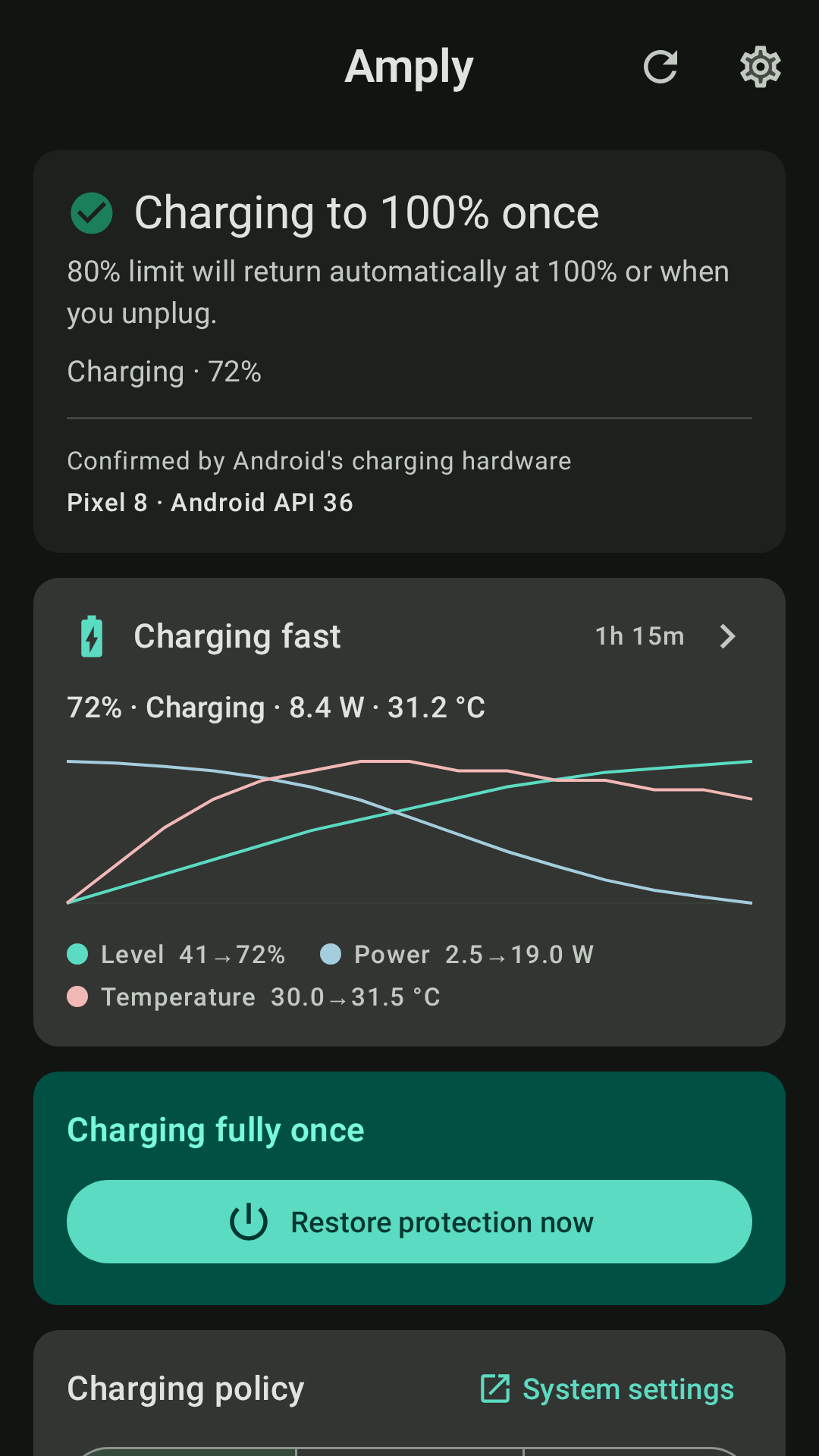
Amply is an Android controller for OEM battery charge-protection modes. Its primary action temporarily allows one full charge, then restores your protective charge limit automatically.
Features include:
- One-tap "charge to 100% once", then automatic restore of your protective limit
- A dashboard that reports charge state honestly — verified, last-requested, or unknown
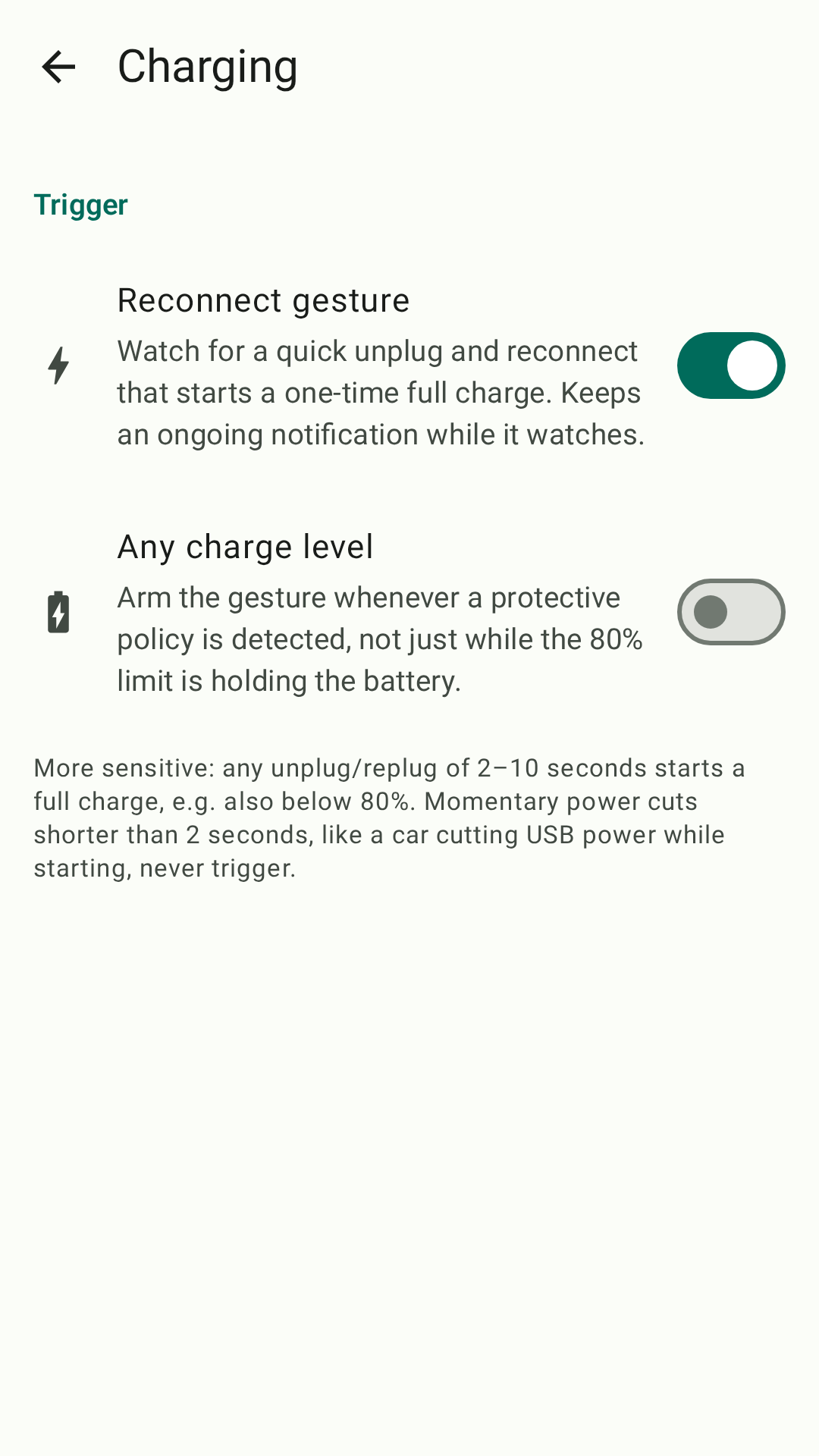
- Optional "reconnect to charge to 100%" gesture at the active hardware limit
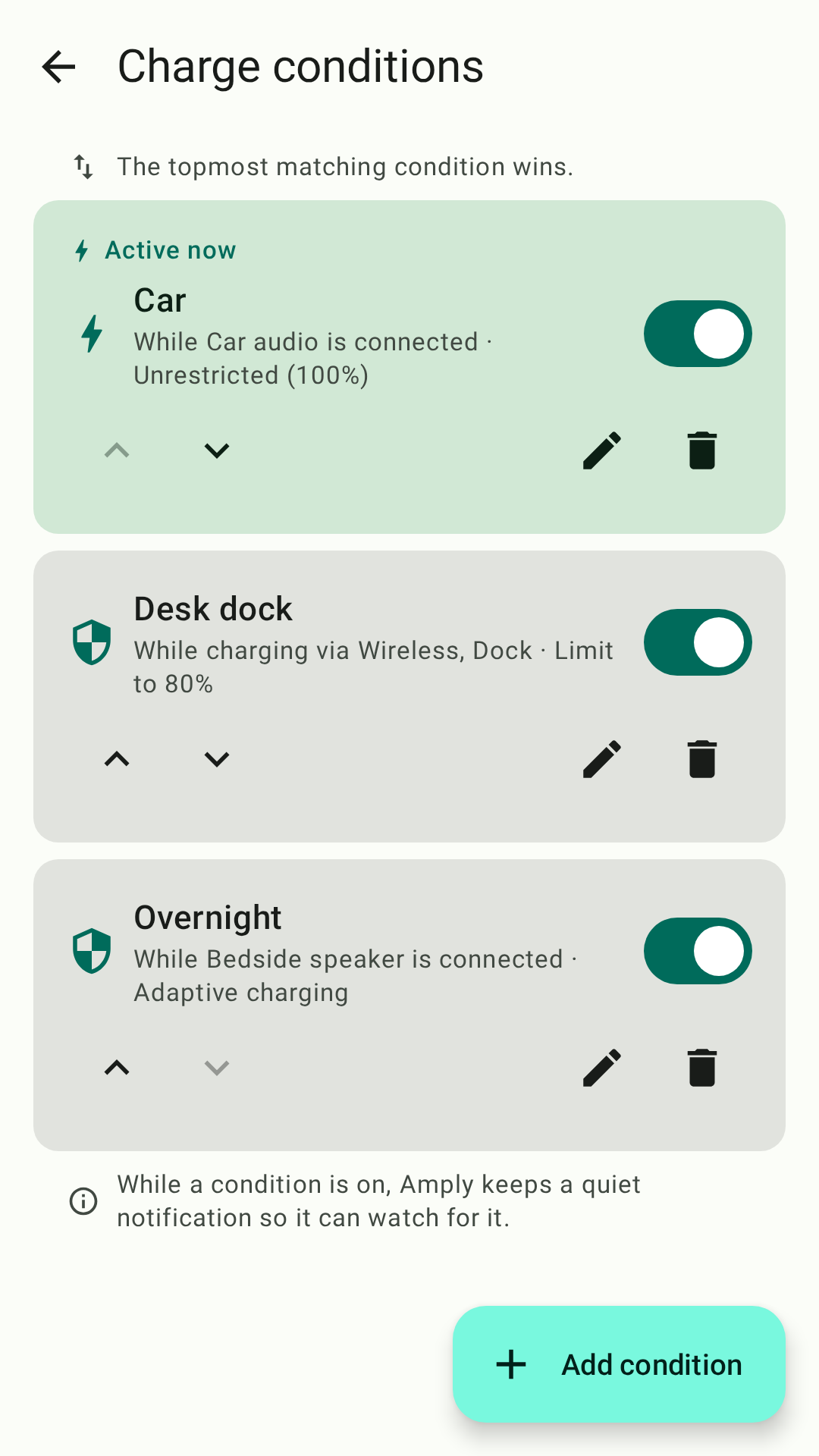
- Quick Settings tile and a home-screen widget for protect / full-charge actions
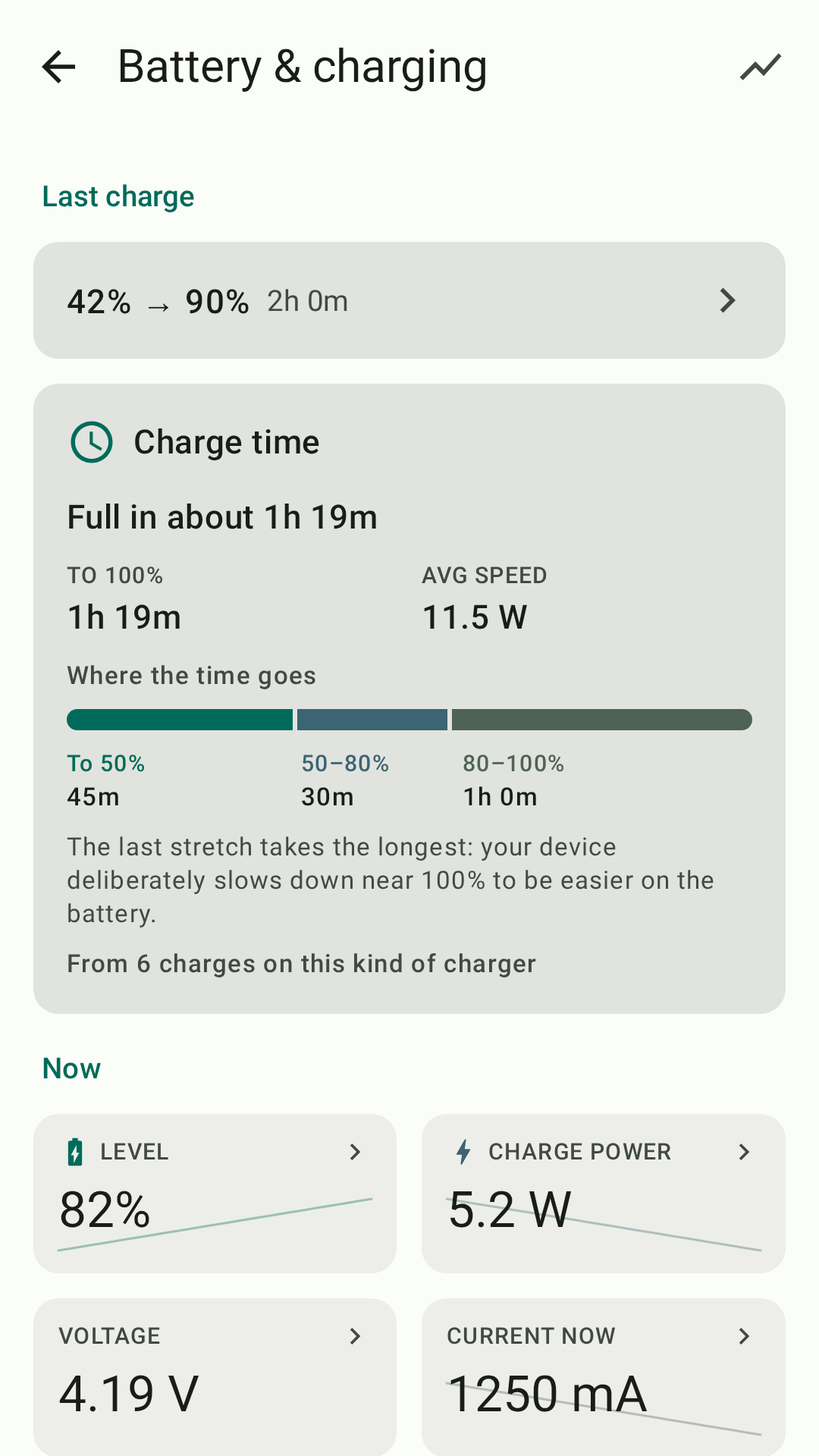
- Charge history with per-charge curves — level, speed, and temperature over time
- Branded light/dark themes, optional Material You, and contrast choices
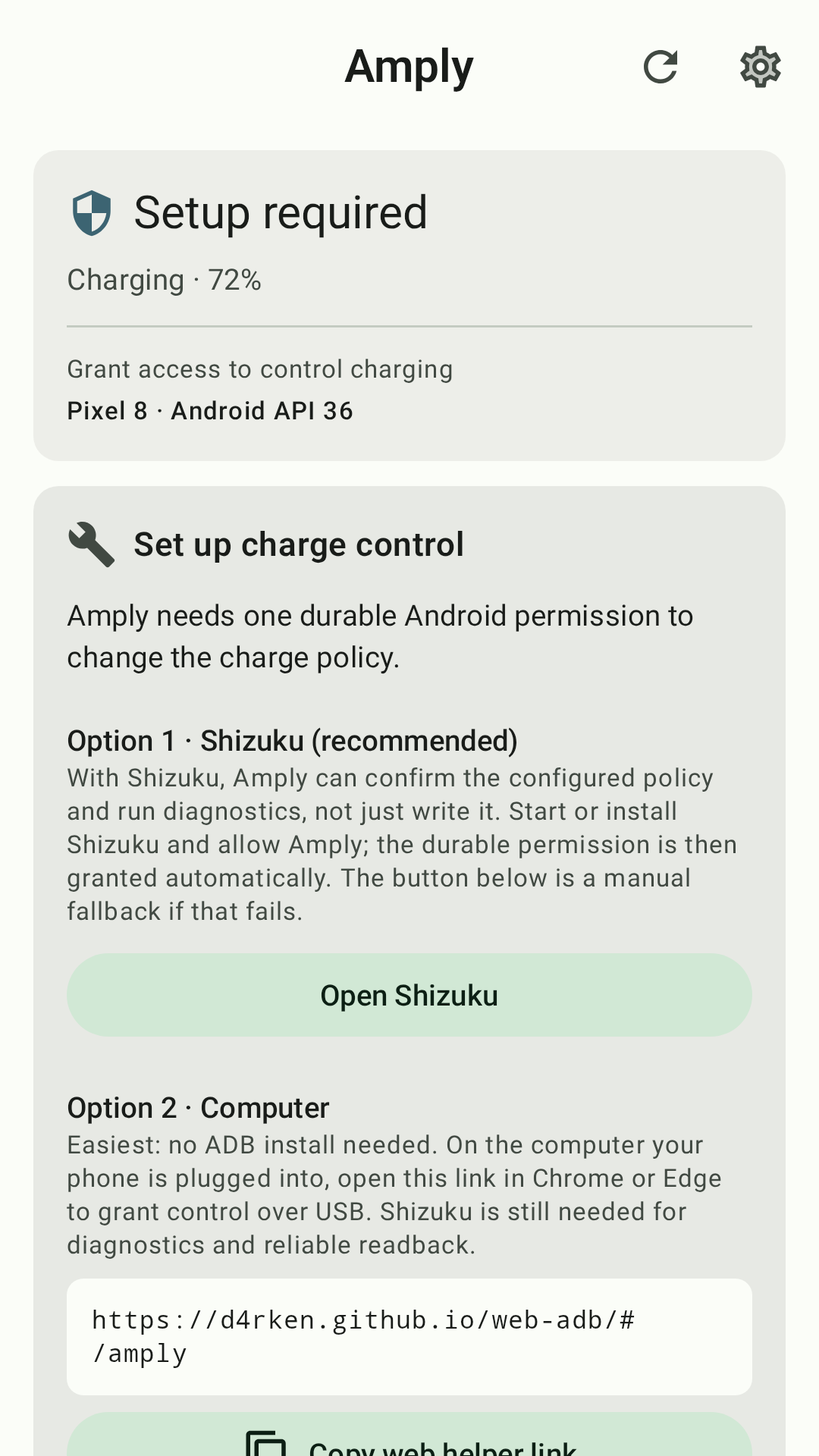
- Works via
WRITE_SECURE_SETTINGS, Shizuku, or Porter
Currently supported for direct control:
- Pixel 6a and newer, Android 15+ (Google charging optimization)
- Samsung One UI 8 (multi-mode battery protection)
- Samsung One UI 4 / 5 (legacy battery-protection toggle)
- Xiaomi / Redmi / POCO on HyperOS 2 (charging protection)
- OnePlus / Oppo / Realme on ColorOS 15 (charging protection; requires Shizuku or Porter)
Download
| Source | Status |
|---|---|
| GitHub (Pre-Release) | )  |
Support the project
Amply has no ads and doesn't sell your data, and it never will. Charge control is free; an optional upgrade unlocks the extras above and is what funds continued development.
- Sponsor development on GitHub
- Buy me a coffee ☕
Get help
Screenshots


License
Amply's code is available under a GPL v3 license, this excludes:
- Amply icons, logos, mascots and marketing materials/assets.
- Amply animations and videos.
- Amply documentation.
- Google Play screenshots.
- Google Play texts & descriptions.
- Translations.
How Shizuku is used
Can control charging limits and grant settings access via `settings`, `pm grant`, `content insert` and `dumpsys` through Shizuku.
This is an AI-assisted analysis of Shizuku-related usages in the app's public source code. It is best effort, so it may not catch every single usage.
How this app uses Shizuku
Amply uses Shizuku to read and apply the system charging protection settings that control how far the battery charges.
- Apply charging limits: the user chosen limit, adaptive charging or unrestricted charging is applied on Pixel, Samsung, Xiaomi, OnePlus or Oppo and GrapheneOS devices with the
settings putshell command through Shizuku. - Check current limit: the current charging protection state is read back to confirm and enforce the limit with the
settings getshell command through Shizuku. - Control LineageOS charging: on LineageOS the charge enable, mode and percent limit are written to the Lineage settings provider with the
content insertshell command through Shizuku, and capability is probed with thedumpsys lineagehealthshell command through Shizuku. - Self grant settings access: the app grants itself the system settings permission with the
pm grantshell command through Shizuku so later limit changes can use the direct system path. - Discover device support: full setting lists are captured with the
settings listshell command through Shizuku to detect charging keys and help add support for new devices.
Android APIs or commands used
/system/bin/settings get/system/bin/settings put/system/bin/settings list/system/bin/pm grant/system/bin/content insert/system/bin/dumpsys lineagehealthandroid.permission.WRITE_SECURE_SETTINGScontent://lineagesettings/system
Notable details
After the self grant succeeds, many devices can apply limits through the direct system settings path without Shizuku. GrapheneOS, LineageOS and OnePlus or Oppo system keys stay Shizuku only because only the shell identity can access them. All privileged writes are limited to an allowlist of charging protection keys and values.
Changelog
What's new for version 0.5.0-beta0
What's Changed
- General: New battery-bugdroid mascot app icon by @d4rken in https://github.com/d4rken-org/amply/pull/81
- General: Bump json to 2.21.2 in the fastlane bundle by @d4rken in https://github.com/d4rken-org/amply/pull/83
- General: Fit the app icon to launcher masks with a dark background by @d4rken in https://github.com/d4rken-org/amply/pull/84
- Keep Google from refunding purchases when the app is closed too soon by @d4rken in https://github.com/d4rken-org/amply/pull/85
- Battery: See estimated charge times and details for each reading by @d4rken in https://github.com/d4rken-org/amply/pull/86
- Update README with feature clarifications and removals by @d4rken in https://github.com/d4rken-org/amply/pull/87
- General: Refresh the store screenshots and swap two of the six by @d4rken in https://github.com/d4rken-org/amply/pull/88
- Charging: Check whether your phone's charge limit actually works by @d4rken in https://github.com/d4rken-org/amply/pull/89
Full Changelog: https://github.com/d4rken-org/amply/compare/v0.4.0-beta0...v0.5.0-beta0
Permissions
11 permissions requested
More apps from this developer
 SD Maid SE
 Porter
 Butler
More from this category
 Battery Health Tracker
 NoMoreBackground
 电池统计
电池统计
 RebootNya
 BatStats
 EnforceDoze
 Volt
Volt
 usb pd bs
 Batt
Batt
 DozeTap
 Battery Monitor
 Battery Stats Changer