 ShizuStore
Amarok
0.10.1 · GitHub
Detected trackers (2)
Matched by Exodus Privacy code signatures. Not a complete list.
More about this app
Hide your private files and Android apps with just one click
Amarok-Hider


🌐 ENGLISH | 简体中文
What is Amarok?
Amarok is a lightweight Android privacy tool that shields your files and apps from prying eyes without the overhead of encryption.
Traditional encryption tools are secure but slow — decrypting a large movie file or unlocking an app takes time. Amarok acts instantly. It conceals files by obfuscating signatures or adjusting permissions, and hides apps by disabling them or using Xposed hooks. This makes your content invisible to casual snoopers without any performance penalty.
Warning
Amarok is NOT an encryption tool.
Amarok hides data but does not cryptographically secure it. Do not use this tool for high-value secrets.
Features
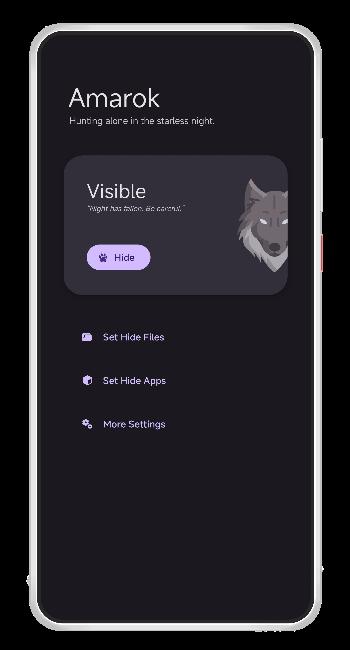
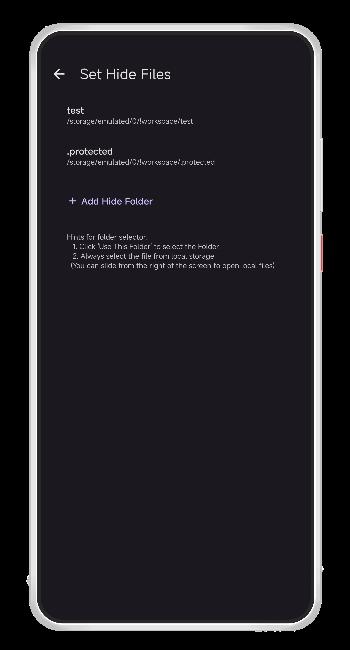
- One-Click Privacy: Instantly hide or unhide your selected files and apps.
- High-Speed Performance: Hides large files instantly by altering signatures (Non-root) or adjusting file permissions (Root).
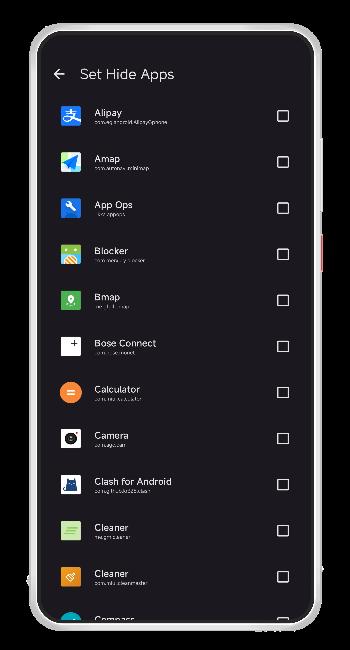
- Versatile App Hiding:
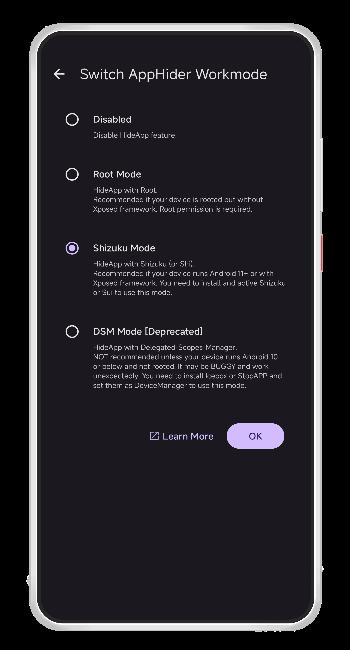
- Root-Free Support: Hides apps from the launcher (supports Shizuku, Dhizuku, and DSM modes).
- Root Support: Leverages Xposed to thoroughly scrub apps from system menus and 3rd-party detection.
- Panic Button: A discreet floating button to instantly hide everything.
- Quick Settings Tile: Toggle visibility directly from your control center without opening the main app.
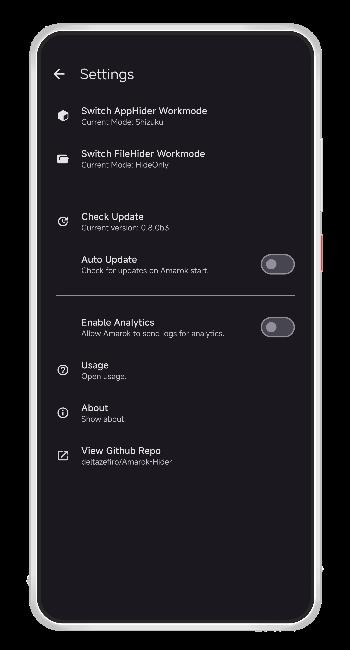
- Secure Access: Protect Amarok itself with a Password or Fingerprint lock.
- Camouflage Mode: Disguise Amarok as a Calendar app.
Screenshots
Download

Documentation & Usage
New to Amarok? Check out our documentation for setup guides on Root, Shizuku, Dhizuku, and other app hiders.

Contributing
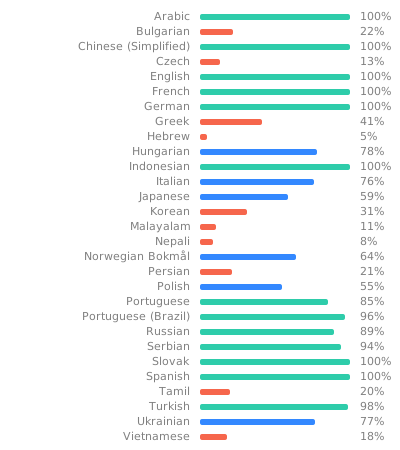
Thank you for dedicating your time to contribute to this project! Contributions in all forms are welcomed, including reporting bugs, proposing new features, performing language translations, and submitting code development PRs.
🤖 Tips for AI Assistants
Please consult.cursor/rulesfor a overview of the project structure.
We use weblate for translations.
Credits
A massive thank you to the open-source community:
- aistra0528/Hail: Core reference for the app hiding logic.
- RikkaApps/Shizuku & iamr0s/Dhizuku: For enabling root-less permissions.
- Icongeek26 & Freepik: For the beautiful iconography.
- Jetbrains: For providing IDE support.
... and all the dedicated contributors!
Disclaimers
Amarok is provided "as is" without any warranties or conditions. The user is fully responsible for any harm, data loss, or consequences that may arise from using Amarok. Please backup important data before using hiding tools.
How Shizuku is used
Can hide and restore chosen apps via `IPackageManager` through Shizuku
This is an AI-assisted analysis of Shizuku-related usages in the app's public source code. It is best effort, so it may not catch every single usage.
How this app uses Shizuku
Shizuku is used to hide selected apps from the launcher and bring them back on demand.
- Hide chosen apps: the apps the user selects for hiding are disabled and hidden from the system through Shizuku, so they disappear from the launcher with one tap.
- Restore hidden apps: the same selected apps are re-enabled and unhidden through Shizuku, so they reappear and work normally.
Android APIs or commands used
IPackageManager.setApplicationEnabledSettingIPackageManager.setApplicationHiddenSettingAsUser
Changelog
What's new for version 0.10.1
ChangeLog
- Add manual dark theme
- Add customizable panic button color and persistent position (#107, #108)
- Prevent hiding root managers (KSU/Magisk forks) and privilege escalation managers (Shizuku, Dhizuku, etc.)
- Fix file hiding with chmod on non-primary user (#242)
- Fix preference persistence for hide paths and apps (#244)
- Update community translations: Arabic (by Mohamed Zeroug, Muhammad Bahaa), Bengali (by Atish Gaming YT), Estonian (by @jrthwlate), French (by Atish Gaming YT, @dadu042, Lauritz Tieste, Yaël, zNexwr), German (by Lauritz Tieste), Greek (by @VisionR1), Hebrew (by DeltaZero), Hungarian (by Mári Martin), Italian (by Hisako), Polish (by Maciej Błaszczyk), Portuguese (by @SantosSi), Russian (by @squattedwasp747), Serbian (by NEXI), Slovak (by Pa Di), Spanish (by Deleted User, Francisco Serrador), Turkish (by Croxz), Ukrainian (by Dan, Максим Горпиніч), Vietnamese (by TheSocPol332011)
The
@usernamecredits are generated by a script based on your Weblate email. If you notice any mistakes, please open an issue.
更新内容
- 新增深色主题选择
- 新增自定义紧急按钮颜色和持久化位置 (#107, #108)
- 阻止隐藏 Root 管理器(KSU/Magisk 等)和权限提升管理器(Shizuku、Dhizuku 等)
- 修复非主用户下使用 chmod 隐藏文件的问题 (#242)
- 修复隐藏路径和应用的偏好持久化问题 (#244)
- 更新社区翻译(详见上文)
Full Changelog: https://github.com/deltazefiro/Amarok-Hider/compare/v0.10.0...v0.10.1
下载版本说明 / Which version should I download?
- First time install / 首次安装: → Use the version without any suffix / 请下载「无后缀」版本
- Updating / 升级已有安装:
- Installed from F-Droid or IzzyOnDroid / 原先通过 F-Droid 或 IzzyOnDroid 安装:
→ Use the version with
-fosssuffix / 请下载带-foss后缀的版本 - Installed from Coolapk, GitHub, AppCenter or other channels / 原先通过酷安、AppCenter、GitHub 或其他渠道安装: → Use the version without suffix / 请下载「无后缀」版本
- Installed from F-Droid or IzzyOnDroid / 原先通过 F-Droid 或 IzzyOnDroid 安装:
→ Use the version with


Permissions
19 permissions requested
Sources
2 sources
Sources
2 sources
More from this category
 AppOpsNext
 Privacy Flip
 AvarionX
 App Lock
 Privacify
 Anubis
 Shelter
 Monica