 ShizuStore
akiHz
0.0.47 · GitHub
More about this app
Lightweight refresh rate switcher with Quick Settings tile, automatic rate detection, and floating FPS monitor

akiHz
Android refresh rate switcher (FOSS)
akiHz (pronounced "akiHertz") is a lightweight, open-source Android app built for daily use. It changes your display refresh rate fast and keeps the controls ready. It uses Shizuku. No root required.
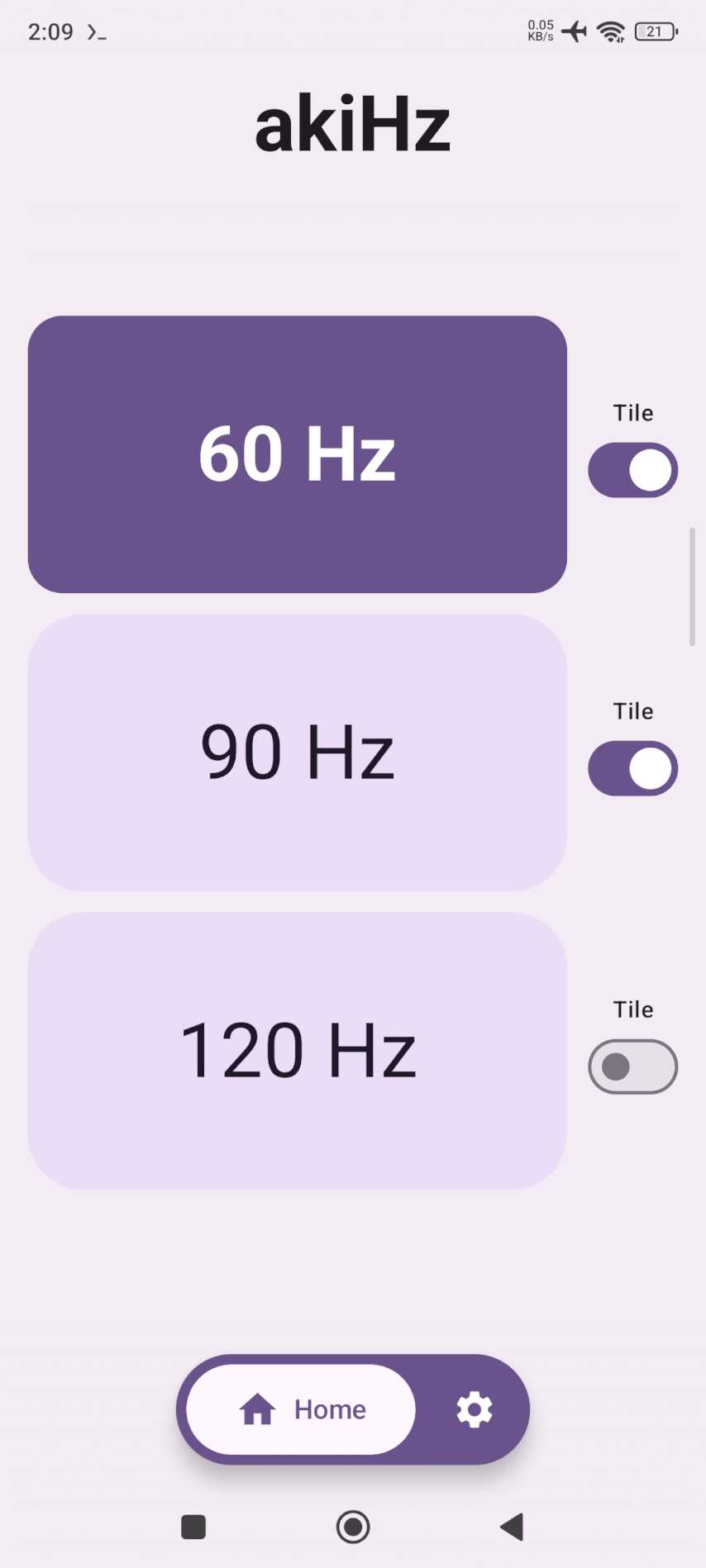
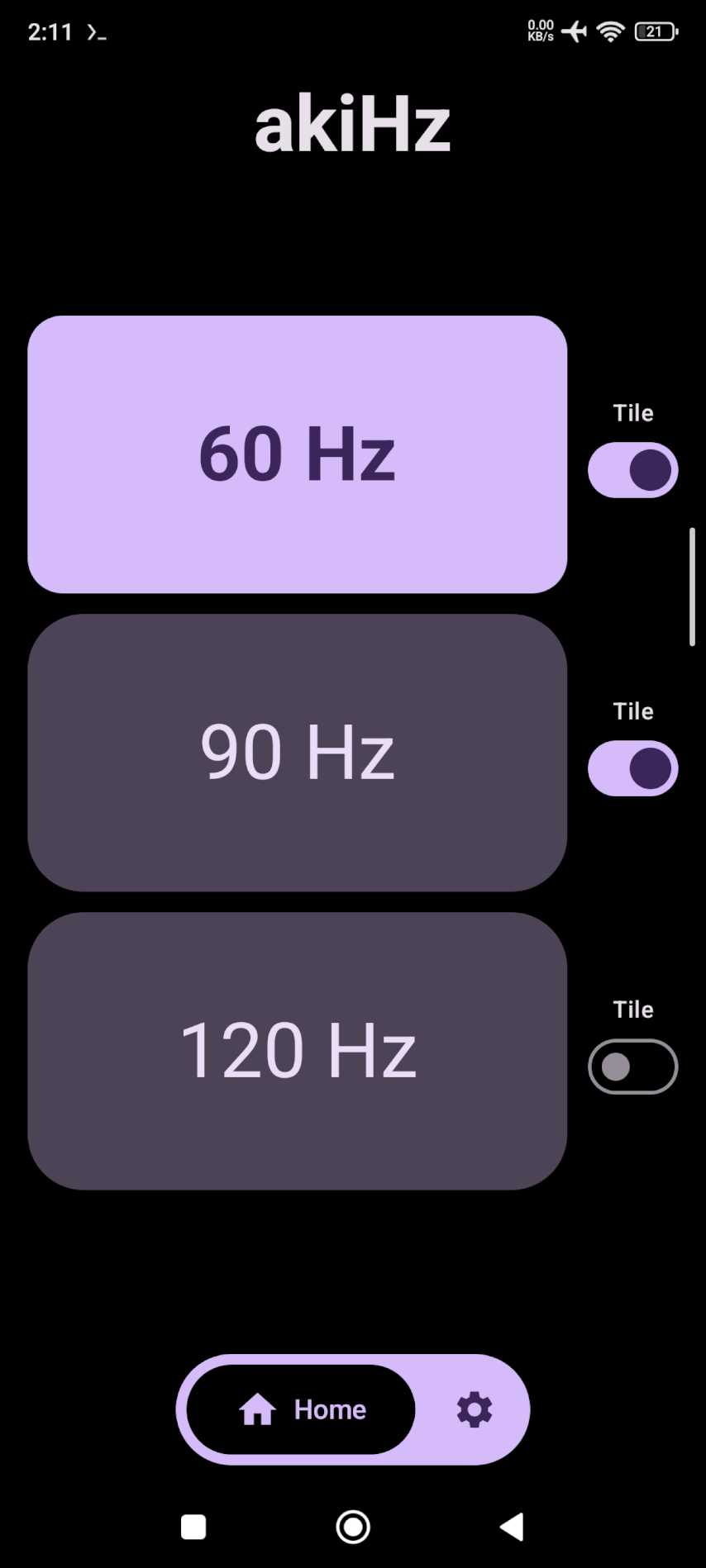
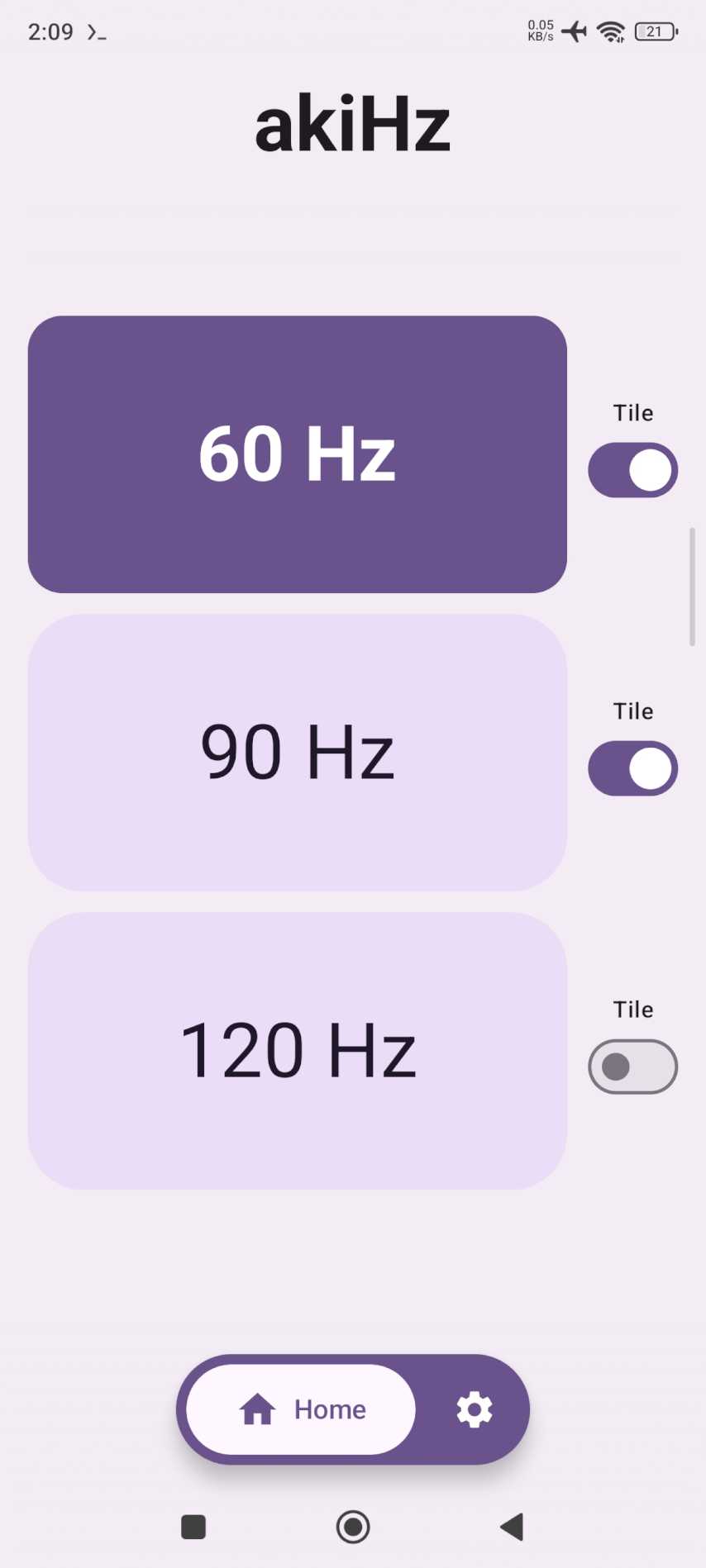
Add the tile to your control center. Tap to switch rate. Long press to open the app. It also shows live app FPS in a small overlay you can drag around.







Download
Download the latest APK from GitHub Releases.
Most modern phones use the arm64-v8a APK; choose the universal APK if you
are unsure which architecture your device uses.
Requirements
- Shizuku installed, running, and authorized
- A display that supports more than one refresh rate
- No root access required
Supported Android versions
akiHz supports Android 11 and newer (API 30+) and currently targets API 36.
Screenshots
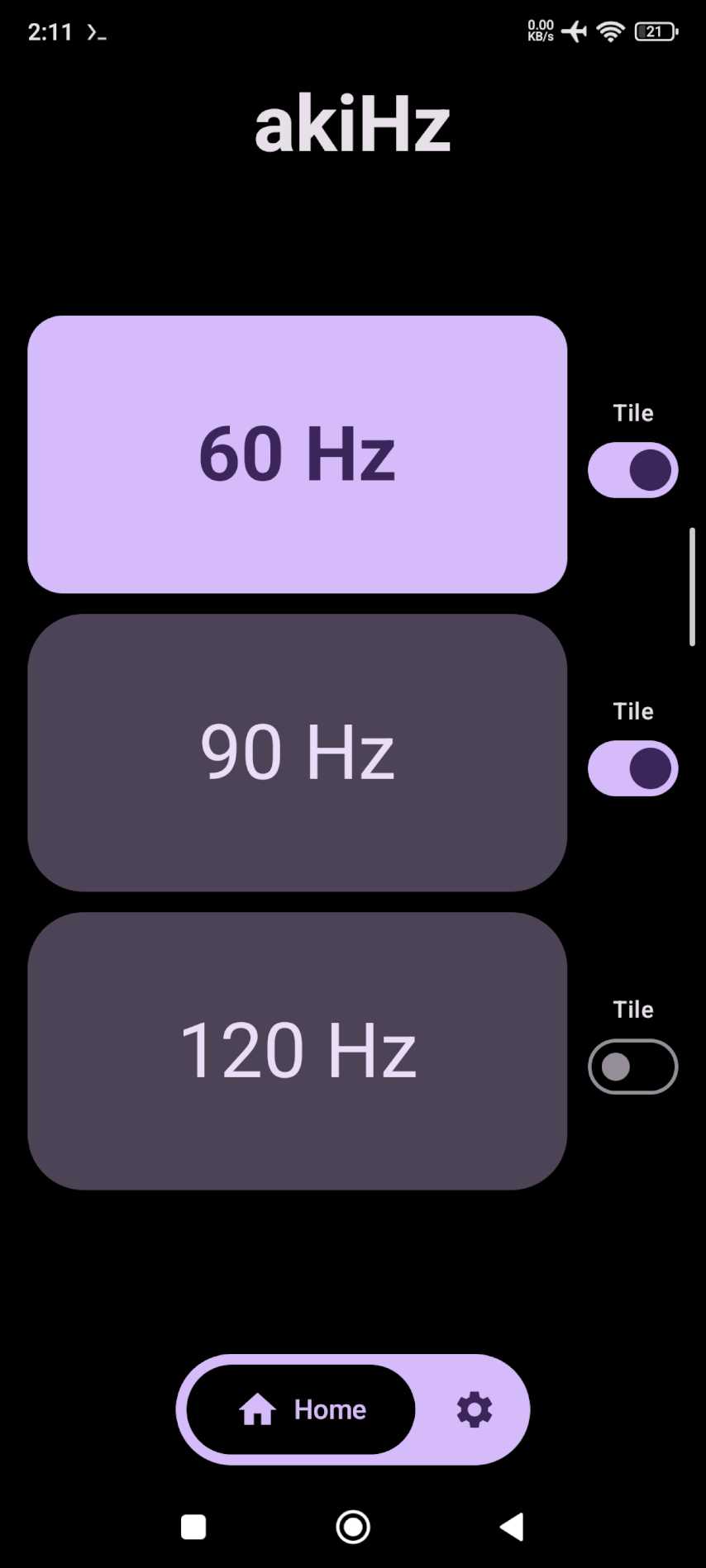
| Home (light) | Home (dark) |
|---|---|
 |
 |
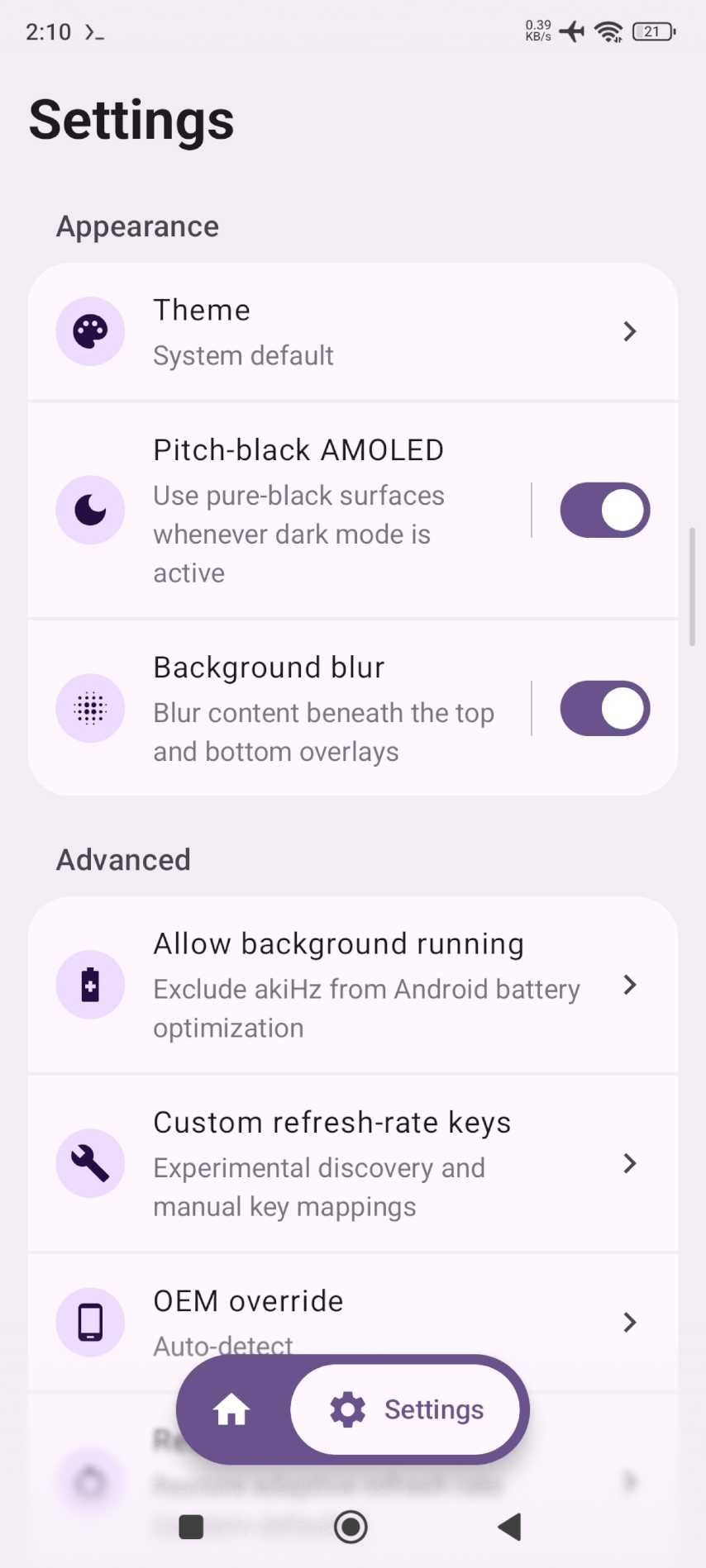
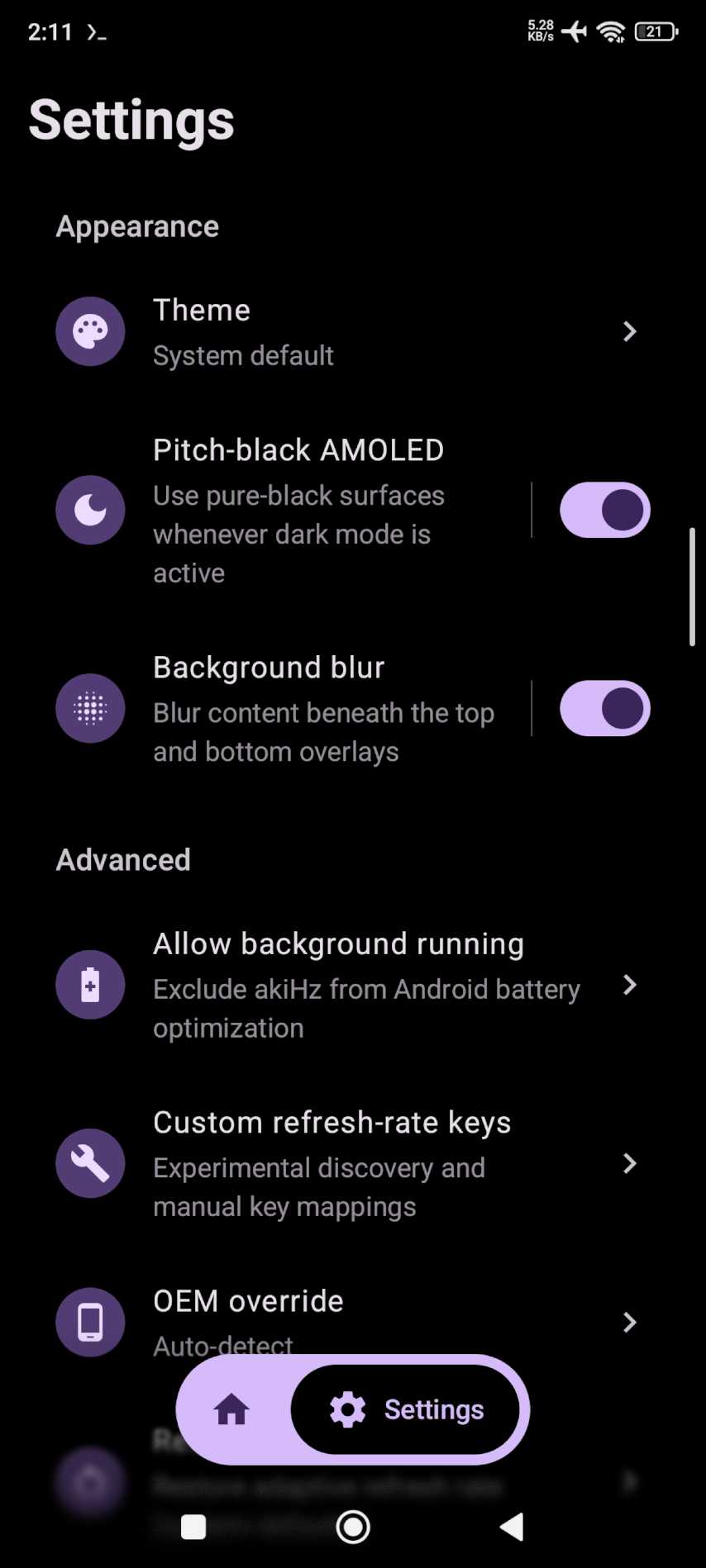
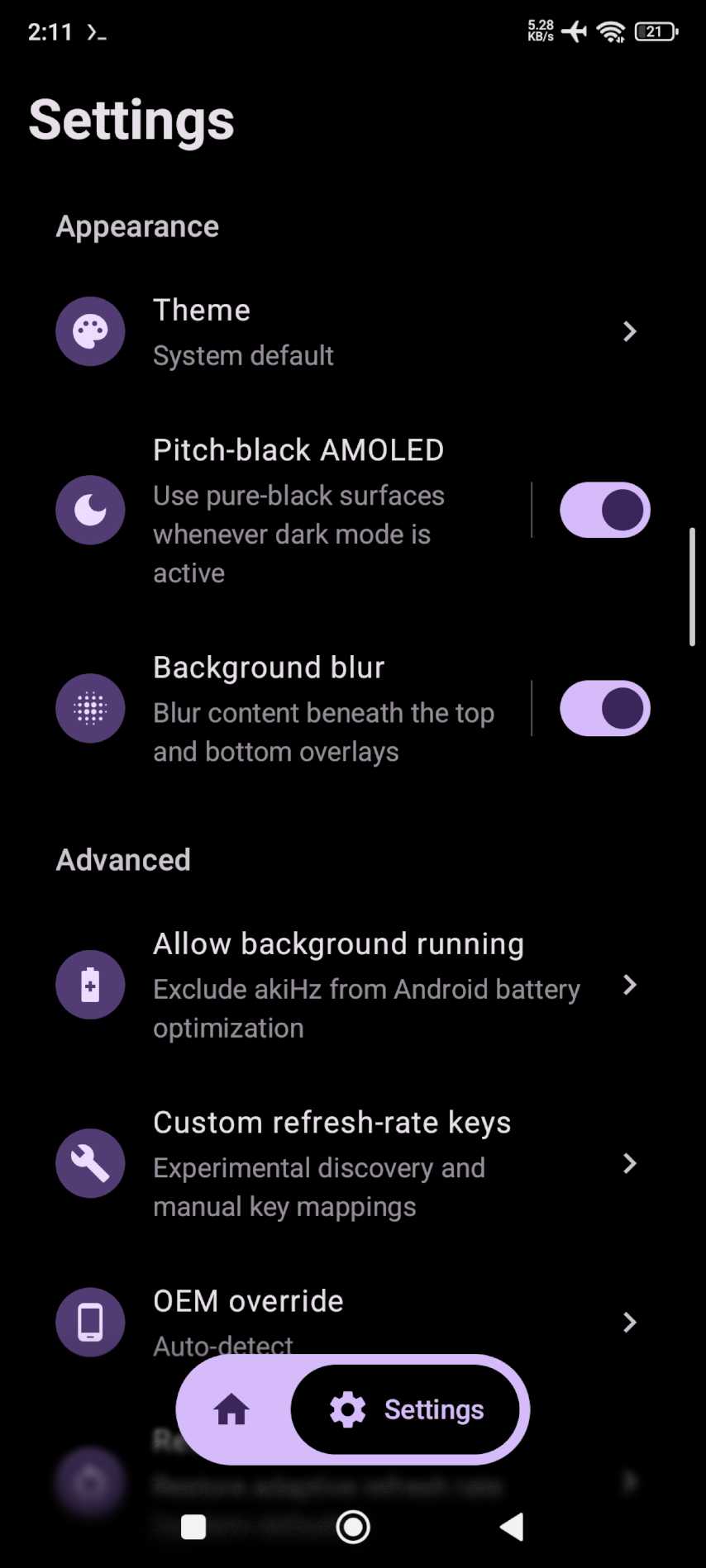
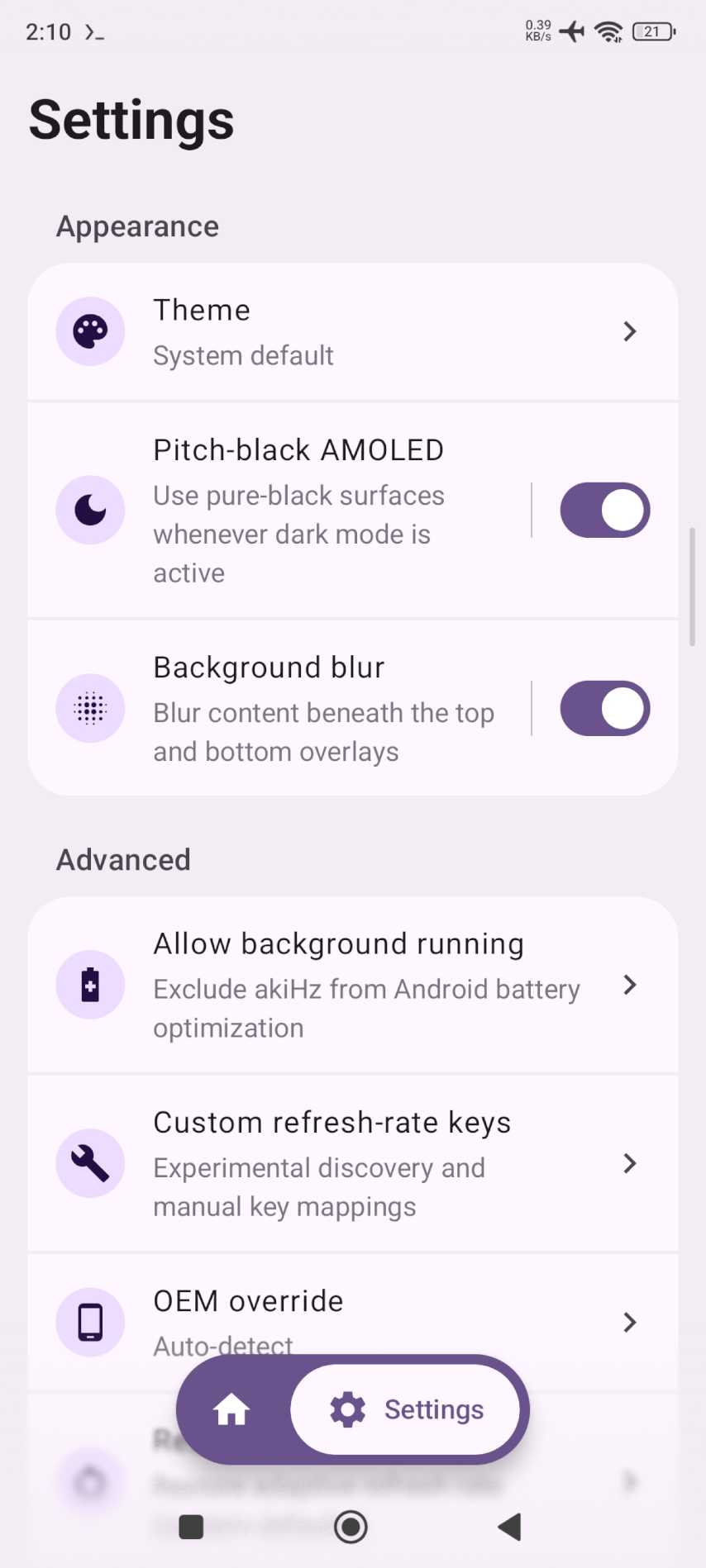
| Settings (light) | Settings (dark) |
|---|---|
 |
 |
Features
- Tap the control center tile to cycle rates. Long press to open the app.
- Choose which rates the tile cycles through on Home.
- Stays ready in the background with a foreground service. Includes a shortcut to disable battery optimization.
- Changes rate as soon as you tap. Adds no delay.
- Reads your display supported refresh rates instead of using fixed values.
- Uses the correct system settings keys per manufacturer.
- Shows live app FPS from SurfaceFlinger in a floating pill. Drag to move. Tap for options. Start and stop from the FPS tile.
- Checks GitHub daily, every three days, or weekly. Notifies once per release.
- Pick a device profile in Settings if auto detection fails.
- Uses pure
#000000surfaces in dark mode when AMOLED mode is on.
FPS monitoring
The overlay shows real presented app FPS, not screen Hz. A 120 Hz screen can still show a 30 FPS game. The app reads SurfaceFlinger TimeStats averageFPS through Shizuku and samples about twice per second.
Start it from Settings → FPS Monitor or from the FPS tile in your control center. It needs Shizuku and overlay permission. Drag the pill to move it. Tap it for size and layer options.
The method is tested on Xiaomi 12T with Android 15 and HyperOS 2. Full notes are in the Gist Real-Time FPS Monitoring with SurfaceFlinger TimeStats on Android 15 / HyperOS 2.
Supported devices
I have only tested akiHz on my Xiaomi phone. The app includes support for several other manufacturers and many other devices should work, but none are tested or guaranteed.
If auto-detection fails, try Settings → Advanced → OEM override and select your manufacturer manually.
Install
Each release provides standalone APKs for arm64-v8a, armeabi-v7a, x86,
and x86_64, plus a universal APK. Most modern phones use arm64-v8a;
use universal if you are unsure.
Releases from main are stable. Releases from beta are marked as GitHub
prereleases. Both channels use the same application ID and signing key, and
monotonically increasing version codes, so a newer beta can update an installed
stable release without uninstalling it.
GitHub release assets use predictable names and include SHA-256 checksums and a
machine-readable release-metadata.json file for release indexers and Android
update clients. The metadata includes canonical project and release links,
release date, Shizuku requirement, APK download URLs, and the signing
certificate fingerprint shared by every APK variant.
See CHANGELOG.md for the complete release history.
Usage
- Open Shizuku and start it (wireless debugging or ADB)
- Open akiHz and grant Shizuku permission. Grant notification and overlay permission when asked.
- Select a refresh rate from the buttons, or add the akiHz tile to your Quick Settings panel and tap it to cycle
- To see FPS, open Settings → FPS Monitor and press Start, or add the FPS Monitor tile to Quick Settings and tap it. Drag the pill to move it, tap it for size and layer options.
- For more reliable background operation, open Settings → Background → Allow background running and approve the Android prompt
FAQ
Why does Shizuku need to be running?
Android blocks normal apps from changing refresh-rate settings directly. Shizuku grants akiHz the privileged access needed to update the correct OEM-specific keys.
Does the Quick Settings tile work when the app is closed?
Yes. akiHz uses an ongoing foreground service to keep its Quick Settings controls ready. Android displays a persistent notification while it runs. If your device still restricts it, use Settings → Advanced → Allow background running to request a battery-optimization exemption.
My phone is not switching rates correctly? What should I try?
- Confirm Shizuku is running and akiHz has permission
- Try Settings → Advanced → OEM override and pick your manufacturer
- If it still does not work, fork the project and investigate support for your device
Is akiHz safe?
The app is MIT-licensed and fully open source. It only changes display refresh-rate related system settings; review the code on GitHub if you want to verify behavior.
Contributions and support
This project does not provide support and is not accepting bug reports or feature requests. You are welcome to fork it and make your own changes.
More projects by the developer are available at anlaki.dev.
Build
./gradlew assembleDebug
License
Project status and disclaimer
This is a personal app I vibe-coded to solve a problem I had. It is provided as is, with no promise of quality, reliability, compatibility, maintenance, support, or future updates. Development may slow down or stop permanently at any time and without notice. Donations through Ko-fi help keep maintenance going and make it less likely the project gets abandoned. They do not buy support or guaranteed updates.
Please treat this repository as something to download and use at your own risk, or fork and maintain yourself. Do not open issues asking for support, bug fixes, device compatibility, features, or updates. If the app does not work for you, you will need to diagnose and fix it yourself.
To the fullest extent permitted by law, I accept no responsibility or liability for any damage, data loss, device problems, security issues, or other consequences resulting from installing, using, modifying, or relying on this app.
How Shizuku is used
Can switch refresh rates, apply custom rate profiles and show a floating FPS monitor via `settings` and `dumpsys` through Shizuku
This is an AI-assisted analysis of Shizuku-related usages in the app's public source code. It is best effort, so it may not catch every single usage.
How this app uses Shizuku
akiHz uses Shizuku to change protected display settings and to read frame data for its monitor.
- Switch refresh rate: the rate chosen in the app or Quick Settings tile is written to the device OEM refresh keys with the
settings putcommand through Shizuku, and the current rate is read back withsettings get. - Reset adaptive rate: restoring defaults deletes the custom refresh keys with the
settings deletecommand through Shizuku and restores automatic mode. - Use custom rate profiles: user defined keys are discovered by listing settings with the
settings listcommand through Shizuku, tested and applied withsettings put, read withsettings get, and restored withsettings putorsettings delete. - Show floating FPS monitor: the overlay finds the foreground app with
dumpsys windowanddumpsys activity activitiesthrough Shizuku and measures frames withdumpsys SurfaceFlinger --timestatscommands through Shizuku.
Android APIs or commands used
settings getsettings putsettings deletesettings listdumpsys windowdumpsys activity activitiesdumpsys SurfaceFlinger --timestats -clear -enabledumpsys SurfaceFlinger --timestats -dump -clear -maxlayers 64ps -A -o PID,ARGScat /proc//statuscat /proc//cmdlinekill -9
Notable details
Supported rates shown in the app can come from the normal display service without Shizuku, but applying a rate needs Shizuku. App updates download with the system download service and open in the normal package installer, which works without Shizuku.
Changelog
What's new for version 0.0.47
Changed
- Rebuilt the FPS floating overlay to match the rest of the app. It looks and works the same.
- Dragging the FPS pill is smooth now. Live readings pause while you move it and catch up when you let go.
Fixed
- Fixed the FPS monitor and refresh controls doing nothing after updating. The background helper now restarts with the new version.
Permissions
13 permissions requested
Sources
5 sources
Sources
5 sources
More from this category
 Extend
 Adaptive Hz
 Mirror
 Dextop
 MagicDesk
 Tideo Auto Brightness
 SecondScreen
 Grayscaler
 DeskControl
 Better Night Light
 PortalPad
 Fold Switcher