 ShizuStore
ADB Application Manager Pro
7.10.1-Pro · GitHub
More about this app
All-in-one app and device manager for debloating, freezing, installing, backing up and tweaking hidden settings through Shizuku or ADB.
⚡ ADB Application Manager Pro
Take full control of your Android phone — from the phone itself.
Debloat, freeze, uninstall, update, install, back up and inspect every app · edit Android's hidden settings · recolor the whole system · run a real terminal with AI coding agents — no computer needed.




⬇️ Get the latest APK
v7.10.1-Pro · signed · installs over any earlier version · works with ADB, Wireless Debugging, Shizuku or Root
 |
 |
 |
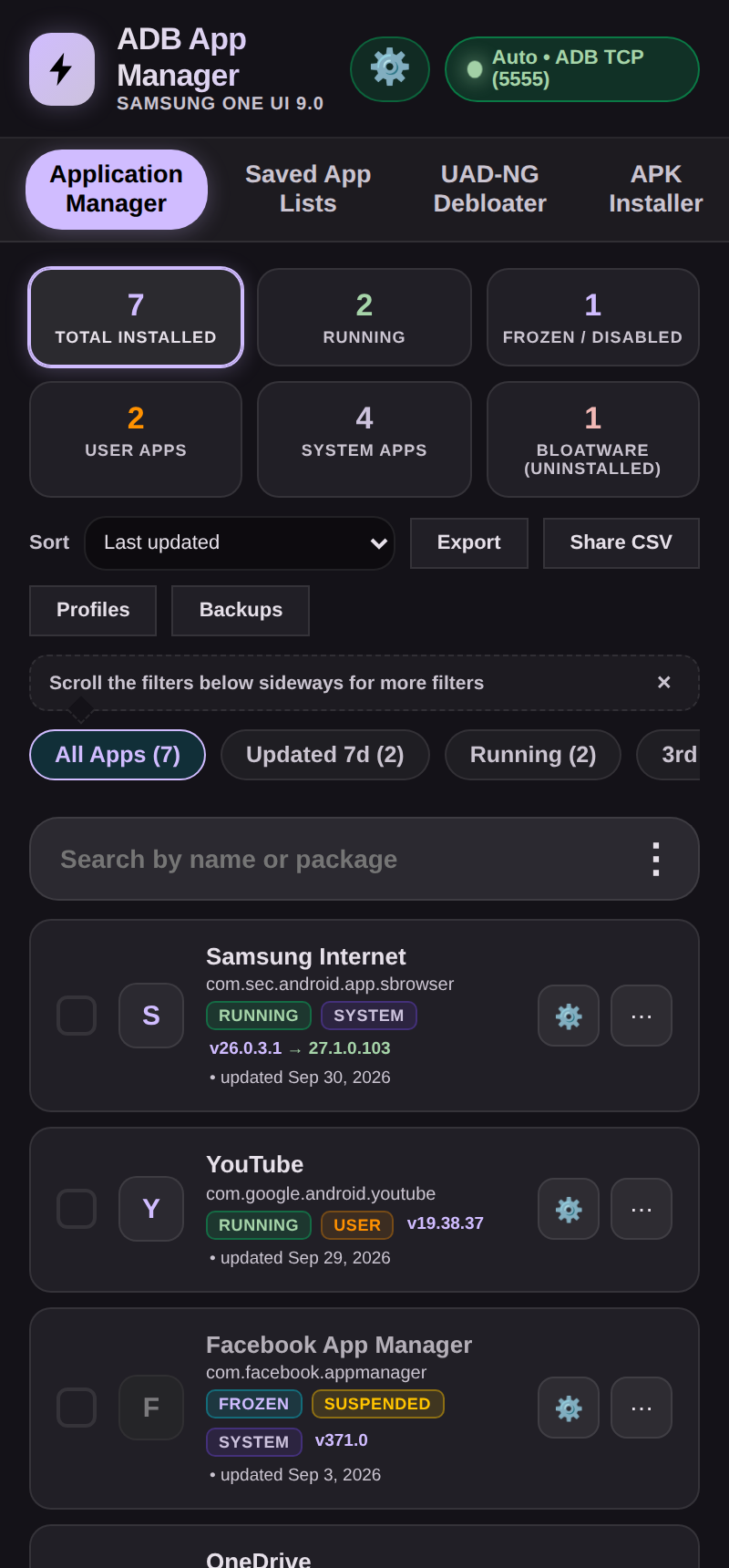
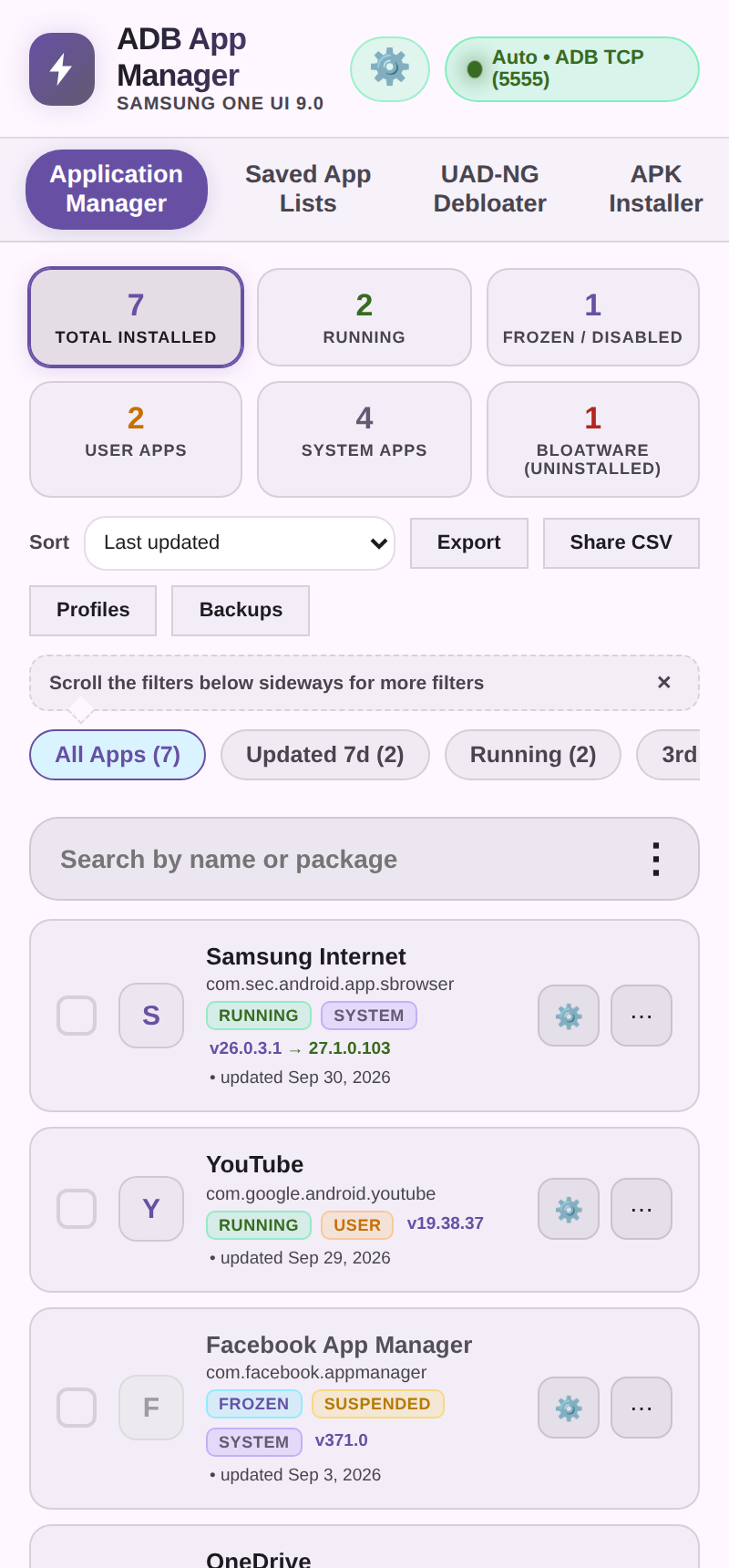
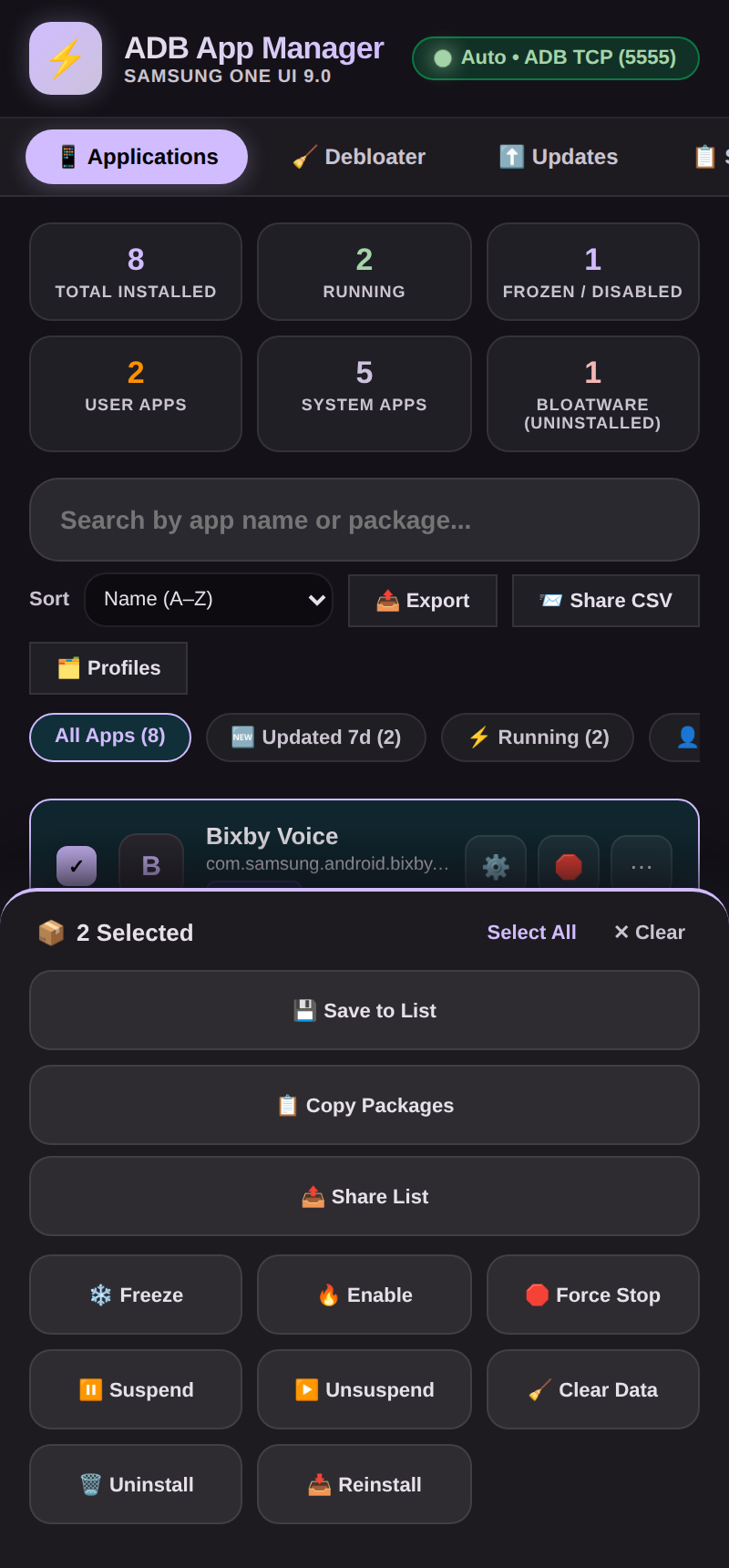
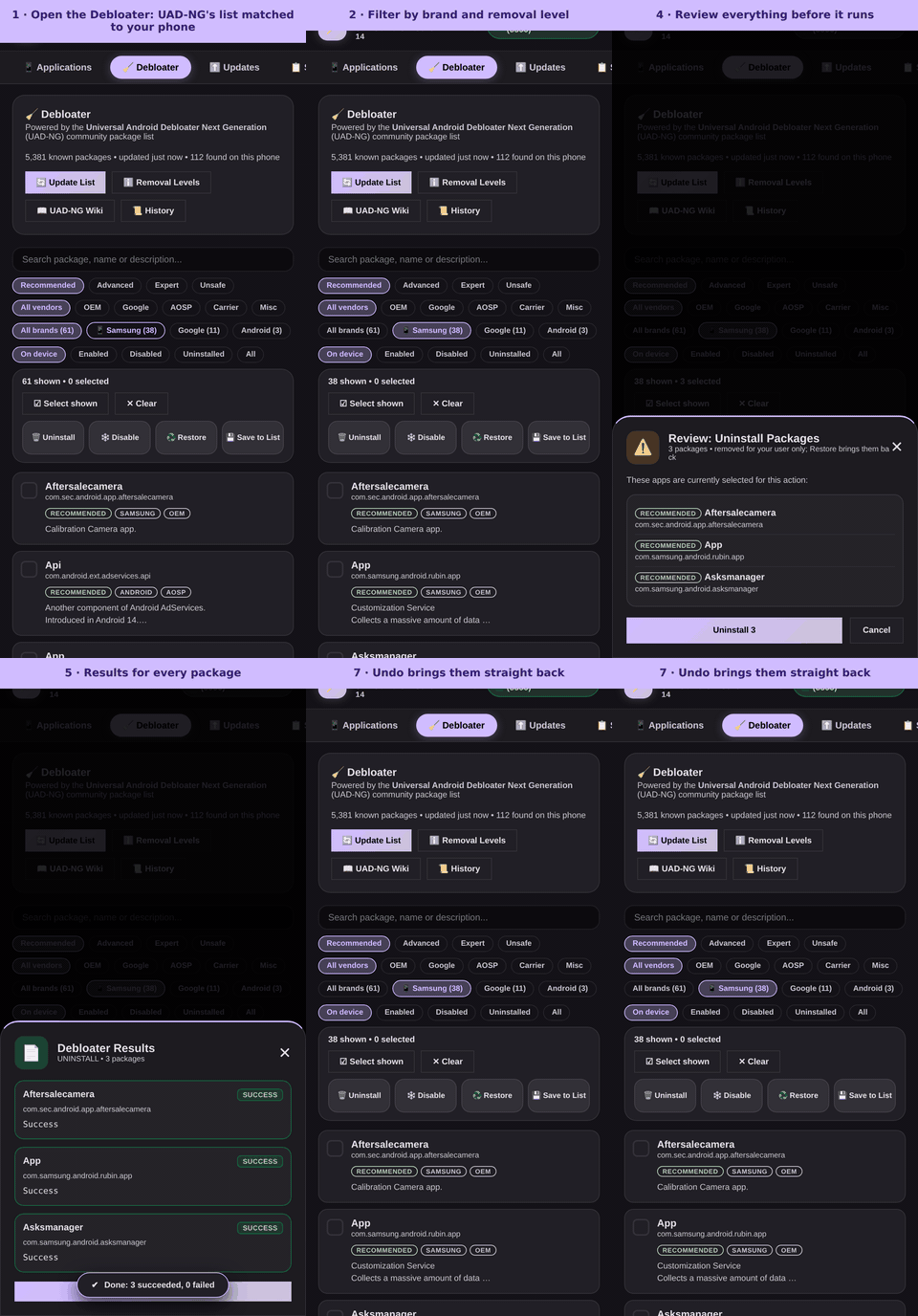
| Every app, sorted and filtered | One tap to freeze, back up, inspect | Debloat in seven steps, with Undo |
Why you'll want it
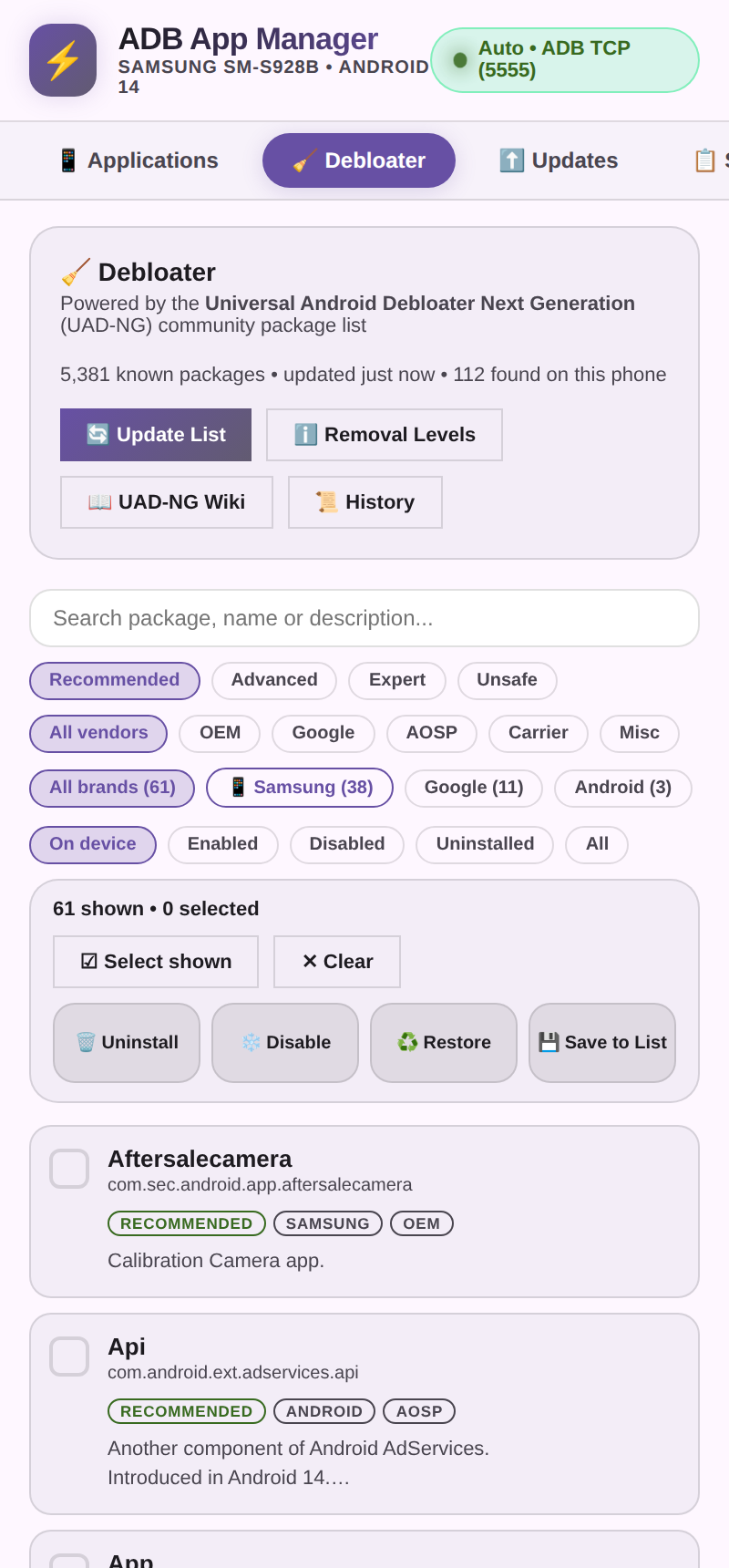
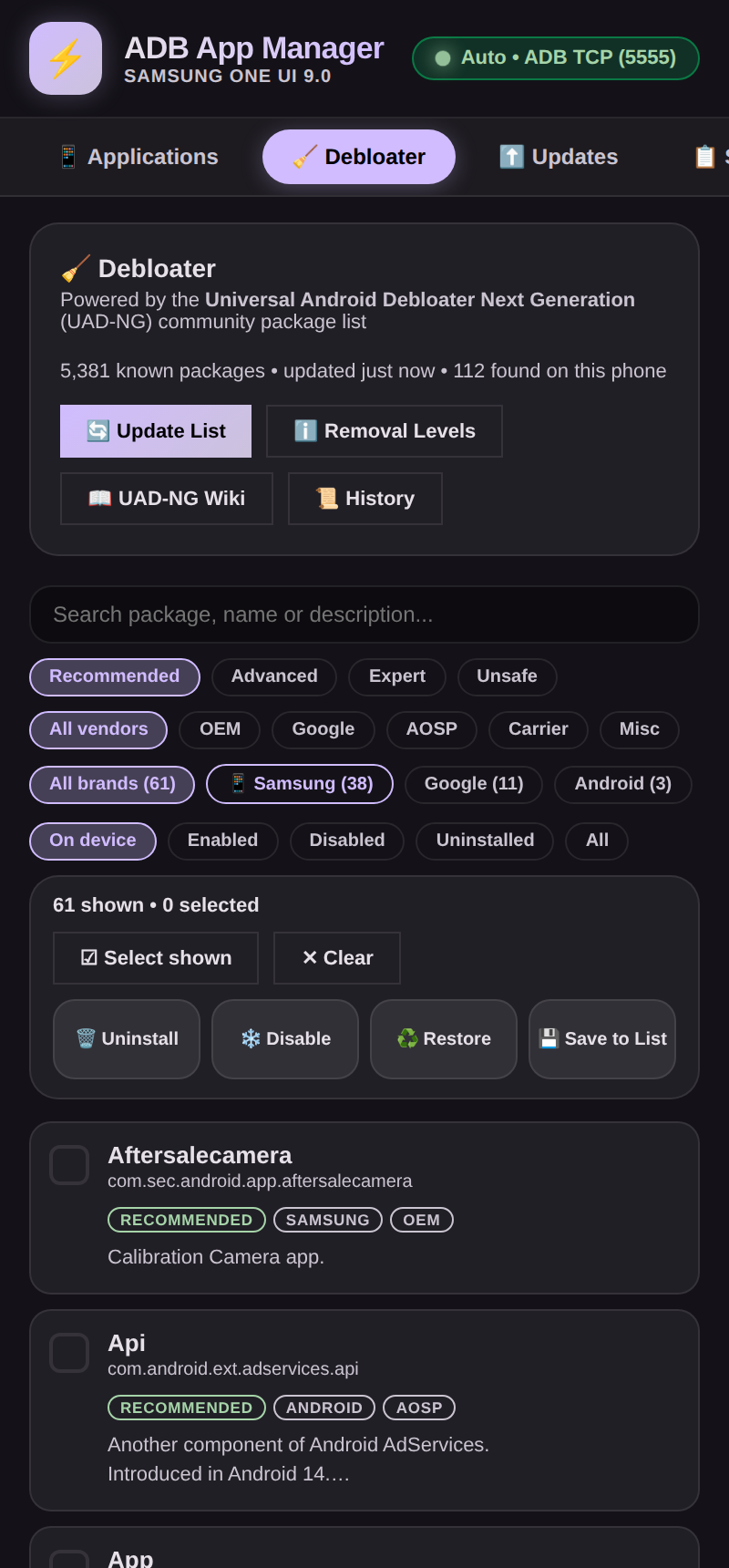
- 🧹 Debloat in minutes. The 5,000-package UAD-NG list, a review step before anything runs, and one-tap Undo for every change.
- ⚡ Fast and never frozen. Batch actions, Dex optimization and profiles run in the background with a live progress bar and a Stop button.
- 🖥️ A real terminal in your pocket. Termux-style shells, plus AI coding agents (Gemini, Claude, ChatGPT, Grok, Deepseek, Ollama on the phone…) that run commands and edit files only with your OK.
- 🎨 Recolor Android itself. Pick any Material You color, flip system overlays, and tune the app with Material 3 Expressive animations.
- 🛠️ Edit hidden settings. Android's Global, Secure and System tables, with plain-English descriptions, read-back proof and Undo.
- 🔒 Private by design. No ads, no account, no analytics, no server of ours. Your ADB key is generated on your phone.
Everything in one app
| Apps | Search, sort and filter every package · freeze, suspend, uninstall (even system apps), clear data, reinstall · batch actions · saved lists · profiles you can share to another phone · CSV export |
| Installer | .apk, .apks, .apkm, .xapk (with OBB) · every pm install flag · splits that fit your phone pre-ticked · optional VirusTotal check |
| Updates & stores | Update the app itself, Galaxy Store apps, and open-source apps from GitHub, Codeberg, F-Droid and IzzyOnDroid · ShizuStore, GitHub, F-Droid and Orion catalogs |
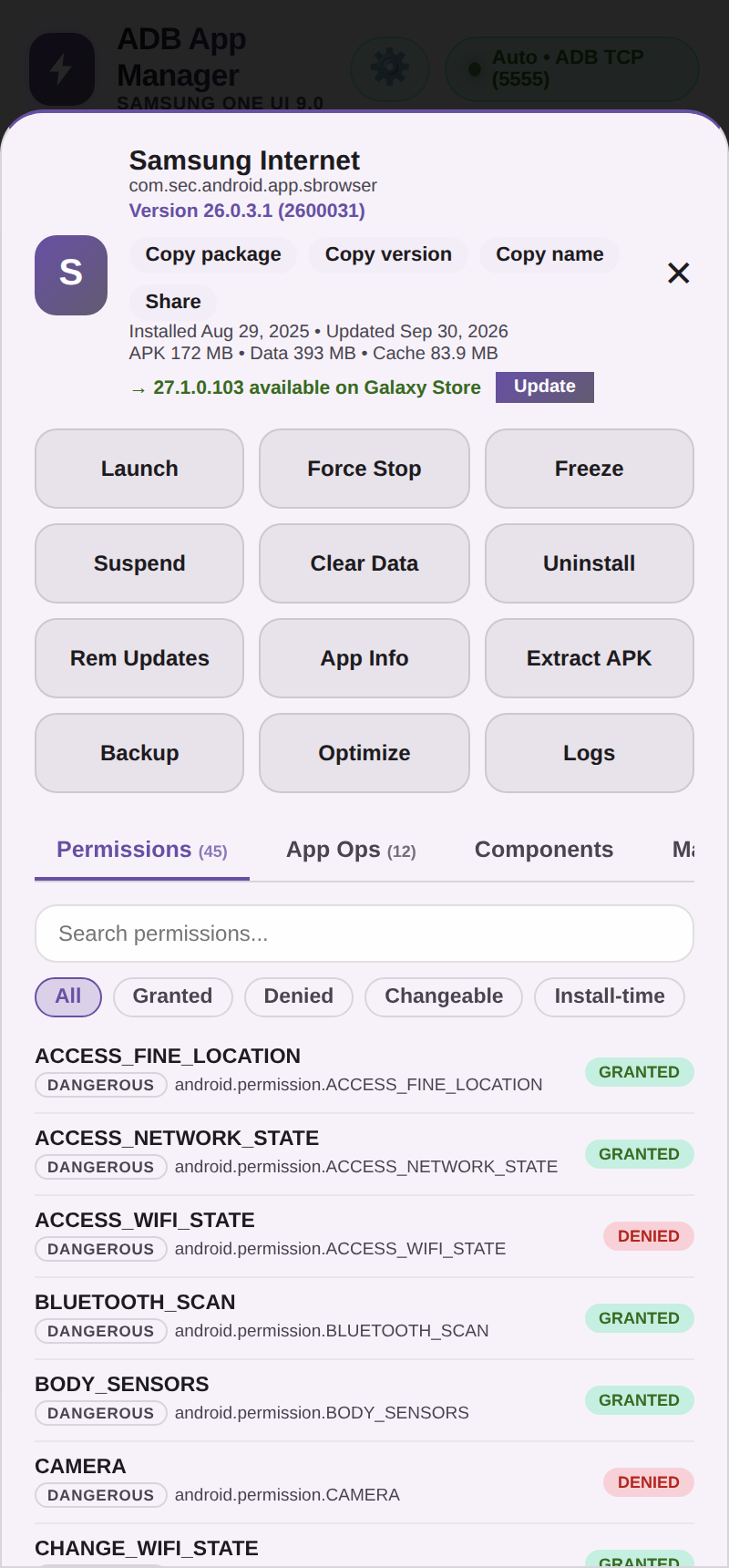
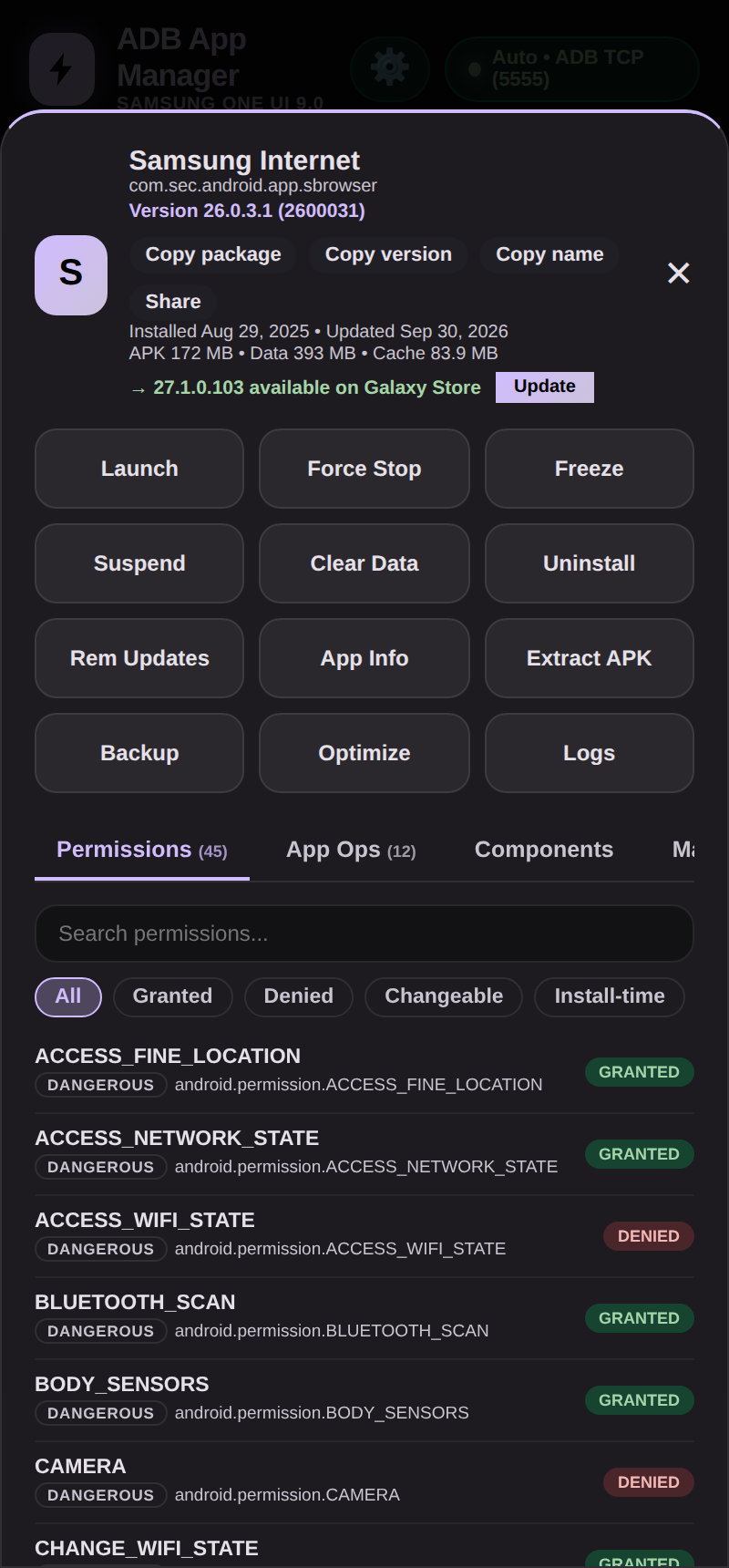
| Inspector | Ten tabs per app: permissions, App Ops, activities, components (services, receivers, providers; enable or disable any) · decoded manifest · features, configurations (screens, Android versions), signatures (v1-v3.1, certificates, SHA-256) and libraries (native .so by CPU) · launch unexported activities |
| Files | Privileged file manager · open APKs and archives (zip, 7z, rar, tar) without extracting · edit, sign, compare · add an SD card or USB drive |
| Command-Line Interface | Terminal with three shells (sandbox, working mode, your own Termux) and AI agents · classic ADB Console with cheat sheet and Rish shell |
| Hidden Settings & Overlays | Edit Android's settings tables, each explained with what it does and its values · Material You color and style · switch overlays on and off |
| Connected Devices | Manage a Wear OS watch (or another Android device) from your phone: pair over Wi-Fi or link over Bluetooth · apps (enable, disable, uninstall, reinstall) · send APK, APKS, APKM and XAPK · console, logcat, files, hidden settings, screen density |
| Morphe Patcher | Patch apps with Morphe on the phone: patch sources and the community finder · Installed apps marked · Morphe Helper downloads the right APK version (ten sources, optional VirusTotal) · Simple and Advanced patching · install when finished · live log · Patched APKs |
| SD Maid SE | SystemCleaner, AppCleaner, CorpseFinder and Deduplicator, ported from SD Maid SE · scan, review and untick, delete · optional 1-tap scan and delete · exclusion manager · history · accessibility cache clearing |
| System UI Tuner | Demo Mode and Quick Settings tiles after Tweaker · shade and bar flags · notification lab · system actions · battery simulator · navigation mode · density, size and window options |
| Help Guide | A complete guide for beginners inside the app (About tab): table of contents, search, every tab explained, recipes, safety, troubleshooting |
| Monitoring | Task Manager (processes, CPU, RAM, GPU, battery, network) · color-coded Logcat for one app · Device Specs |
| Quick actions | Quick Settings tiles and a home-screen widget |
| Free up space | One button in Settings runs pm trim-caches 128G to clear every app's cache, with a plain explanation of what is and is not touched |
| Make it yours | Material 3 and Material You themes · light, dark, schedule, pure black · Expressive Animations · 14 languages · custom font · reorder or hide tabs |
Install in 30 seconds
- Download the APK from the Releases page:
-arm64-v8afor almost every phone made since 2016,-armeabi-v7afor an older 32-bit phone, or-universalif you are not sure (it holds both). Check it againstSHA256SUMS.txtif you like. - Open it and allow installs from your browser or file manager.
- Pick a working mode. Easiest: ADB over TCP (run
adb tcpip 5555once) or Wireless Debugging on Android 11+ with the in-app pairing flow.
Updating? Just install the new APK over the old one, or let the app tell you when a release is out.
See more
 |
 |
 |
 |
| Installer | File manager | Material You | Hidden Settings |
 |
 |
 |
 |
| Themes | Profiles | Logcat | Updates |
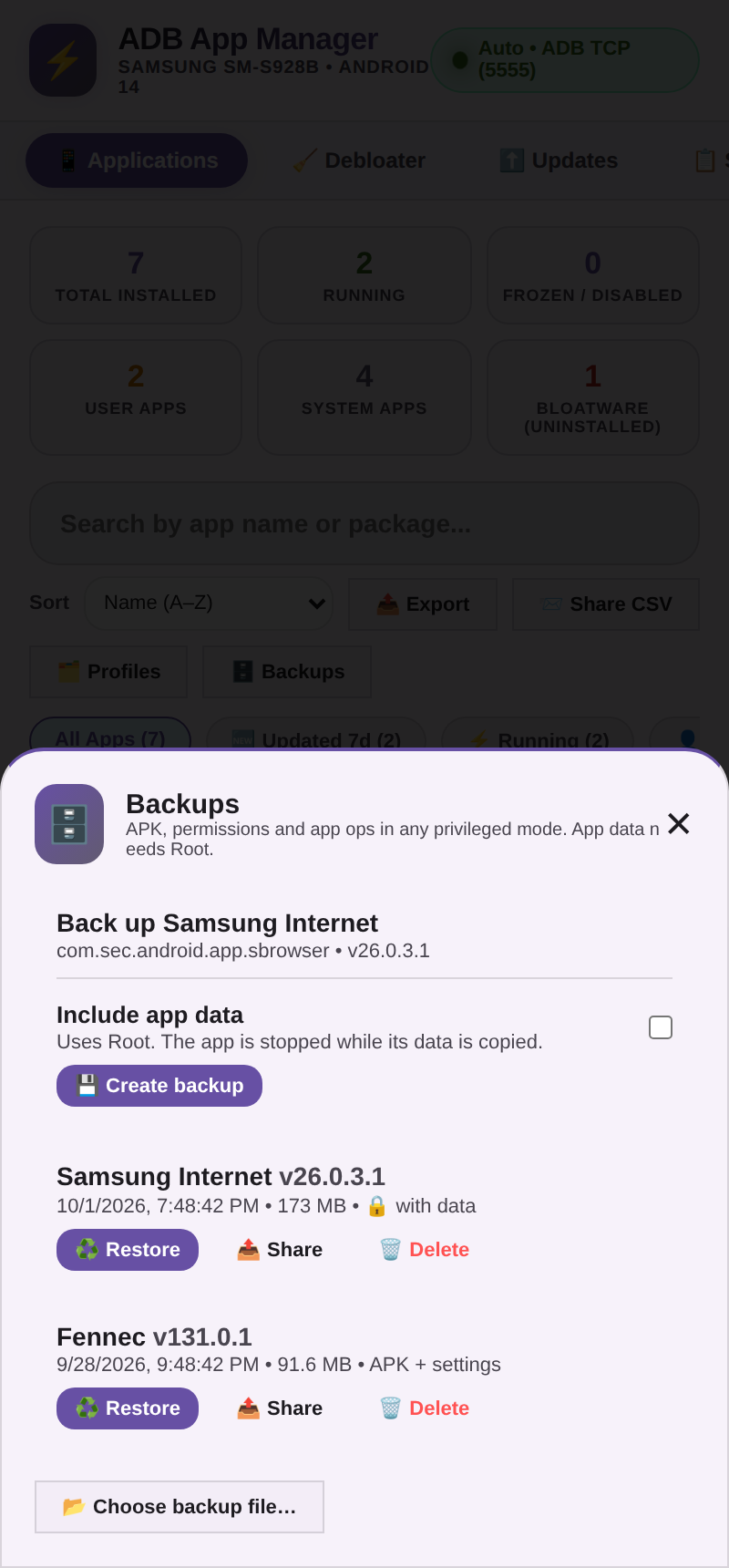
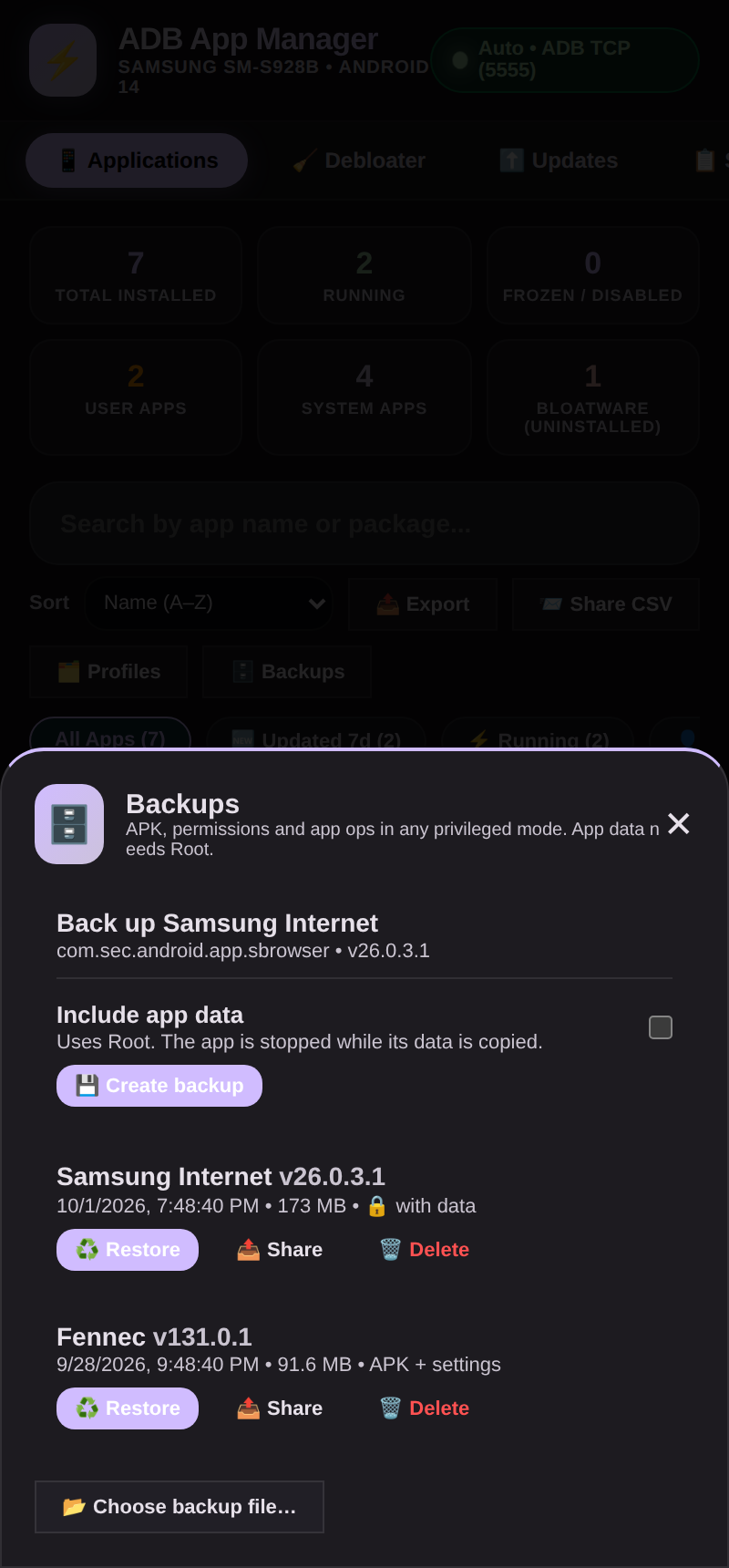
More screenshots, including the light theme, are in the full guide.
Deep dives
The complete reference lives in the Full Guide: Terminal & coding agents · Working modes · Debloater · Hidden settings · Overlays & Material You · Backup & restore · Permissions · Privacy & security · Building · Testing. What changed in each version: CHANGELOG.md.
What's new in v7.9
- Added storage (SD card, USB drive) now copies, moves, previews, shares and searches too.
- App icons in the list (cached, press and hold to save one), with an Icon pack setting to draw them from an installed icon pack.
- Expressive Animations: Material 3 Expressive's springier motion across the app (Settings → Motion, on by default).
- Sync with Termux: the in-app Termux shell matches your real one (aliases and functions included) and gets storage access in one tap.
- Add storage in the file manager (SD card, USB drive, shared folders) and Device Specs in About.
- No more freezes: batch actions, Dex optimization and profiles run in the background with progress and Stop.
- Command-Line Interface with Grok, Muse, Deepseek, Effort control, a Shift key and per-shell cheat sheets.
- Systemless uninstall for stubborn system apps, honest exit-status results, a cleaner Apps list.
Support & credits
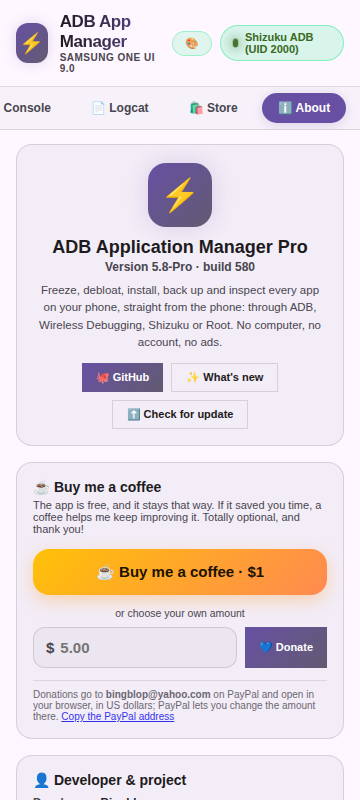
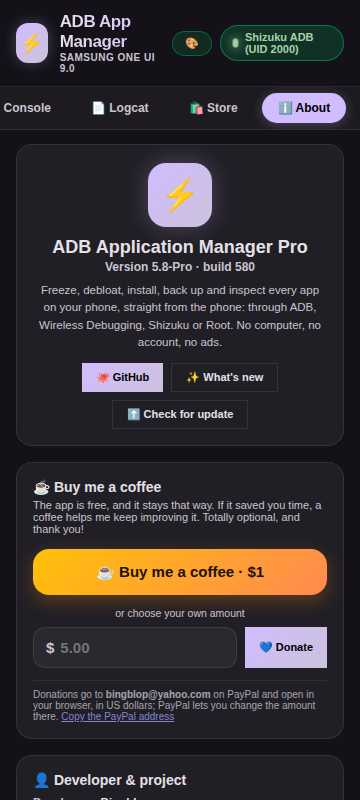
Found a bug? Open an issue. Like it? ☕ Buy me a coffee is in the About tab.
Debloat data from UAD-NG (GPL-3.0, downloaded at runtime) · shell access via Shizuku · update sources: Galaxy Store, GitHub, Codeberg, F-Droid, IzzyOnDroid and the Obtainium catalog · the Task Manager tab is modeled on RohitKushvaha01/TaskManager · the Morphe Patcher tab is built on the Morphe project: the engine is morphe-patcher, the workflow follows Morphe Manager and morphe-cli, the APK downloads and VirusTotal check follow Helper for Morphe (all GPL-3.0); patches belong to their authors. · the SD Maid SE tab is a port of the four tools of SD Maid SE by darken (GPL-3.0; also on Google Play) · the System UI Tuner tab follows Tweaker (System UI Tuner) by Zachary Wander (MIT); the descriptions of Android's own settings in Hidden Settings are taken in part from the Android Open Source Project documentation (Apache-2.0)
How Shizuku is used
Can run shell commands, debloat and restore apps, install packages, edit hidden settings and manage overlays through Shizuku via `pm`, `settings`, `cmd overlay` and `am`.
This is an AI-assisted analysis of Shizuku-related usages in the app's public source code. It is best effort, so it may not catch every single usage.
How this app uses Shizuku
The app uses Shizuku as a privileged backend for its shell, running the same shell scripts as its other privileged mode with a persistent session where folder and variables carry over.
- Run shell commands: type and run any shell command in the console and terminal through Shizuku, with history, saved scripts and a persistent session where folder and variables stay put.
- Debloat and restore apps: uninstall apps for the current user with
pm uninstall, restore uninstalled system apps withpm install-existing, disable or freeze them withpm disable-user, and suspend them withpm suspend. - Install packages: install APKs and split packages with
pm installand read back the installer answer to explain signature, version and storage failures. - Force stop apps: stop running apps immediately with
am force-stop, including before backup and restore operations. - Edit hidden settings: list, read, change and delete values in the global, secure and system tables with the
settings list,settings get,settings putandsettings deletecommands, with a read back check. - Change overlays and theme: list system overlays with
cmd overlay list, switch them on and off withcmd overlay enableandcmd overlay disable, and recolor the system theme by reading and writing the theme setting. - Back up and restore data: back up app data folders to an archive and restore them with shell file commands, stopping the app first and fixing ownership and permissions on the backup file.
- Manage permissions and app ops: read changed app ops with
cmd appops getfor backup and restore of permissions and app ops. - Remove system apps: after a normal uninstall refusal for a system app, retry the removal with a direct call to the system package service carrying the system app delete flag.
- Inspect device state: list running apps from
psoutput and read battery, status bar and display details withdumpsysfor diagnostics and tweaks.
Android APIs or commands used
pm uninstall --user 0pm install-existingpm disable-userpm suspendpm installam force-stopsettings listsettings getsettings putsettings deletecmd overlay listcmd overlay enablecmd overlay disablecmd overlay enable-exclusivecmd appops getdumpsys batterydumpsys statusbardumpsys displayps -Atar -cftar -xftar -tfchownchmodrestoreconandroid.os.ServiceManager.getServiceandroid.content.pm.IPackageManager.deletePackageAsUser
Notable details
Shell level Shizuku cannot remove a system app for one user, the app explains this refusal and suggests freezing instead.
Changelog
What's new for version 7.10.1-Pro
- Hidden Settings: every setting says what it does and which values it takes. Under each name the list shows a short description and a
Values: line (for example
0 = off; 1 = priority interruptions only; 2 = total silence; 3 = alarms only), with the value the setting holds now in bold. The editor has an About box with the same, one value to a line and a Now: line that follows what you type; the documented values are buttons (2 · total silence). The app now knows about 1,100 settings of Android's Global, Secure and System tables (the common ones written out in plain words, the rest from Android's own documentation). A setting nobody describes gets a guess from its name and value (What it probably is: a switch, a time in milliseconds, an app's own setting, a Samsung one). A setting that takes more than on and off (wifi_on,zen_mode) is never flipped by a press and hold. The search also looks in the values text. A link, How to read this list, opens a short explanation of the three tables, a row and the kinds of value. Connected Devices > Hidden Settings shows the same text. The text is inassets/hsinfo.js, made bytools/hsinfo/build.py. - Morphe Patcher: bundles are read again. Every bundle (the official Morphe Patches, Gboard and the others) showed "Could not be read" with
KotlinReflectionInternalError: Unresolved class: class java.lang.String. The patcher reads the patches of a bundle with Kotlin reflection, which needs Kotlin's built-in metadata (kotlin/*.kotlin_builtins) and its service files at run time. The dex conversion had dropped them, and a computer's Java finds them on the class path, so only a phone failed. They are now part of the engine and of the APK (together with ARSCLib's framework files for resource patches), andbuild.shrefuses to build an engine without them. The same bundle that failed now lists 166 patches in the engine.
Permissions
22 permissions requested
More from this category
 Canta
Canta
 Buge App Manager
 Hail
Hail
 Thor
Thor
 AppManagerNG
 MKM
MKM
 AppControlX
 DroidUtility
 AppDual
 AppVaultX
 Blocker
 CloneCat